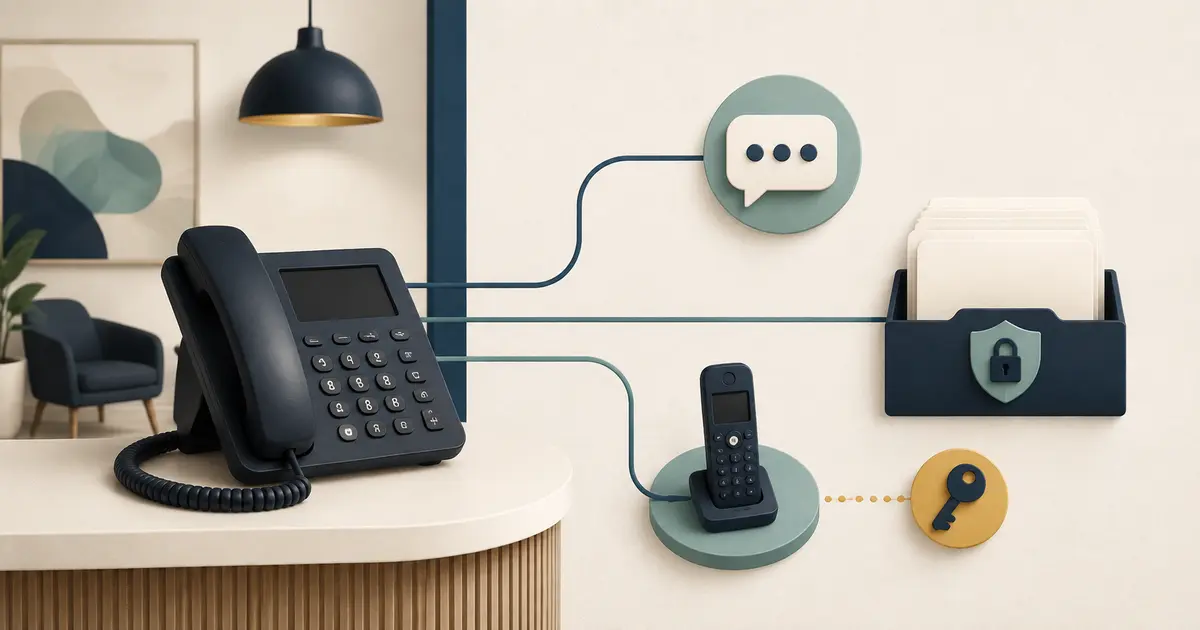
A dental phone system with texting should give a new practice clear control of its number, calls, messages, users, records, and exit path. Choose it only after testing the exact call routes and text states the office will use—not from a feature list alone.
Start with the work the front desk must complete on opening day.
Define the channel jobs first
Write one sentence for each channel:
- voice handles live questions, transfers, and requests;
- voicemail records a message when the approved route reaches it;
- texting supports approved short communications and replies;
- a secure portal carries information that should not travel in ordinary text;
- the practice management system remains the authoritative record for the workflows it owns.
Do not assume one inbox makes all channels equivalent. A delivered text is not an answered call, an appointment request is not a booking, and a copied note is not a verified patient record.
The new-practice communication tools guide helps define the minimum stack before vendor selection.
Confirm who owns the phone number
The practice should know whose legal name is on the account, who can authorize a port, which numbers are local or toll-free, and what happens when the contract ends. Keep billing records, account identifiers, authorized contacts, and transfer PIN procedures in a controlled location.
The FCC explains that number porting can preserve a number when changing providers within the applicable conditions. That does not guarantee timing, feature compatibility, or uninterrupted service for a specific business. Ask both providers for the exact port sequence and do not cancel the old service early.
Use the phone-number continuity checklist if a number already exists.
Map call routing in normal and failure states
Draw the route for:
- open hours;
- all staff busy;
- no answer;
- lunch;
- closed hours;
- holidays;
- simultaneous calls;
- internet failure;
- power failure;
- provider outage.
For every branch, name the destination, ring duration, fallback, notification, and owner. Verify whether forwarded caller ID survives. Confirm whether a forwarded call can loop back into the same system or bypass voicemail.
Cloud systems still depend on power, internet, devices, carrier networks, configuration, and credentials. Document a manual continuity path and test it before opening.
Separate text states
A useful messaging system should show more than “sent.” Ask how it represents:
- queued;
- accepted by the provider;
- delivered;
- failed;
- replied;
- opted out;
- reassigned;
- closed;
- exported.
Determine who monitors replies during open hours and what callers see outside those hours. Block automation when the practice name, number, owner, or required variable is missing. Never let an automated message state that an appointment is confirmed unless the authoritative scheduling workflow actually completed that action.
Build consent and preference records
The ADA recommends asking patients which reminder method they prefer and recording that choice. Federal and state rules can vary by message purpose, technology, and relationship. Ask qualified counsel to approve consent, opt-out, marketing, recording, and retention rules for the planned use.
The system should preserve the source, wording, date, scope, and status of a preference or consent record. Staff need an obvious way to stop future messages when a patient withdraws permission or requests another channel.
The patient texting guide covers the operational safeguards in more depth.
Review privacy and security
Ask whether the vendor creates, receives, maintains, or transmits protected health information on behalf of the practice. If so, determine the HIPAA role and contract requirements with qualified advisers. A BAA does not replace configuration, access, retention, incident, and staff controls.
Require individual accounts, least-privilege roles, multifactor authentication where available, access logs, export controls, and prompt deactivation. CISA recommends MFA for business accounts, starting with administrators and people who handle sensitive data.
Keep message previews off shared lock screens. Limit ordinary texts to the minimum necessary content for the approved purpose. Use a secure channel when the conversation becomes detailed or sensitive.
Test integrations as transactions
“Integrates with” can mean a link, a contact lookup, a one-way export, or a write into a live schedule. Ask the vendor to demonstrate each promised data flow using fictional records:
| Question | Evidence to require |
|---|---|
| What system is authoritative? | Named source for every field |
| Is the flow read-only or write-enabled? | Permission scope and test result |
| How are duplicates matched? | Documented identity rules |
| What happens on failure? | Visible error, retry, and owner |
| How is access revoked? | Tested removal and token rotation |
| Can records be exported? | Usable format and completeness check |
Missed Calls Dental does not integrate with a practice management system or book appointments. Its role is narrow: eligible forwarded missed calls can be answered and caller requests captured for staff follow-up.
Compare total operating cost
Include numbers, seats, devices, messaging segments, call usage, recordings, storage, integrations, taxes, support, implementation, training, replacement hardware, porting, and exit fees. Price the likely month and a peak month. Record which charges are estimates.
Do not compare a base subscription with a fully loaded alternative.
Document the assumptions beside every cost.
Run an opening-day acceptance test
Before publishing the number, test from multiple outside carriers and devices. Verify inbound and outbound identity, every routing state, concurrent calls, text delivery and failure, opt-out, permissions, audit logs, emergency address configuration where applicable, outage fallback, export, and vendor support escalation.
Record the configuration version and repeat the test after any material change. The phone outage plan provides a separate continuity drill.
A good system is not the one with the longest feature list. It is the one the practice can understand, test, operate, secure, and leave without losing control of its number or patient communication history.
Create the operating binder before launch
Store a concise, access-controlled runbook that a manager can use without the original salesperson or installer. Include the account owner, authorized contacts, support path, number inventory, carrier and internet dependencies, device list, current routing diagram, open and closed greetings, text templates, user roles, outage steps, vendor escalation, export instructions, and last test date.
Add a change log. Each change should identify the requestor, approver, affected numbers or channels, previous configuration, new configuration, test result, and rollback. Temporary holiday routing needs an automatic review date so it does not become permanent by accident.
Assign quarterly controls: review users and administrators, confirm phone-number ownership, inspect failed messages, test every fallback route, verify emergency address settings where applicable, export a sample record, and check that the exit process still works. Include a test from outside the office and from a number that is not saved in the system.
Finally, teach staff what the platform does not show. A green delivery indicator does not prove the intended person read a message; a matched contact does not prove identity; a forwarded call does not prove the receiving team completed the request. The operating binder should connect technical states to front desk ownership so the new practice never confuses infrastructure activity with patient-service completion.