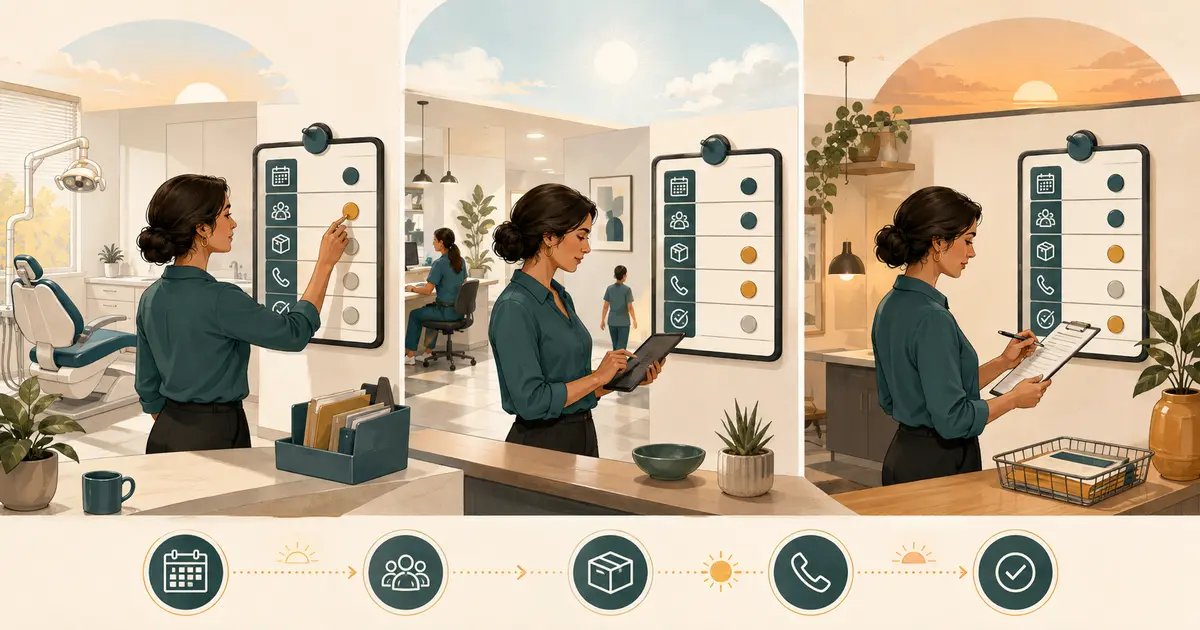
The essential dental office communication tools for a new practice are a reliable business phone service, a controlled patient-message process, practice email, a professional website contact path, an internal team handoff method, and a clear system of record. Add appointment reminders, online forms, texting, AI answering, or a patient portal only when each tool has a defined job and owner.
The goal is not to buy the largest software bundle. It is to make sure every patient contact reaches the right employee, every promise is traceable, sensitive information stays within an approved path, and the office can continue working when one channel fails.
Start with communication jobs, not vendor lists
Before comparing products, list the work the practice must complete.
At minimum, decide how the team will:
- answer incoming calls;
- handle busy, no-answer, lunch, after-hours, and outage calls;
- capture new-patient and existing-patient requests;
- confirm, cancel, and reschedule appointments;
- send and receive approved patient messages;
- collect forms or documents;
- answer general office questions;
- route clinical questions to an authorized clinical role;
- communicate internally without losing requests;
- document completed work;
- manage contact preferences and opt-out requests;
- restore service during an outage.
One tool may support several jobs, but every job still needs an owner. A new practice can have an expensive phone platform, texting product, email suite, portal, and website while callers still wait because no one owns the resulting messages.
Create a short requirements table before requesting demonstrations:
| Communication job | Primary channel | Backup channel | Owner | Completion proof |
|---|---|---|---|---|
| Incoming call | Office phone | Approved overflow or voicemail path | Front desk role | Call answered or request assigned |
| Appointment request | Phone or secure request form | Callback queue | Scheduling role | Appointment saved or request remains pending |
| Clinical question | Staff handoff | Approved escalation path | Clinical role | Handoff acknowledged |
| Appointment reminder | Patient-approved method | Manual phone follow-up | Assigned employee or approved automation | Delivery/response reviewed under office policy |
| Website inquiry | Contact form | Published office number | Front desk role | Request assigned and answered |
| Internal handoff | Shared work queue | Written downtime list | Named team role | Owner and next action visible |
This prevents two vendors from solving the same easy task while no tool covers a critical handoff.
1. Business phone service and published number
The phone service is still the entry point for many patient relationships. Choose it as an operating system, not just a monthly line.
Verify:
- one clear main number for each location;
- desk-phone, softphone, or mobile-app behavior;
- simultaneous-call capacity;
- ring groups or call queues;
- busy, no-answer, scheduled, and outage forwarding;
- voicemail order and access;
- caller-ID behavior on forwarded calls;
- call transfer between roles or locations;
- holiday schedules;
- administrator access and account ownership;
- provider support and restoration process;
- number ownership, contract term, and porting conditions;
- local, toll, usage, equipment, and forwarding charges.
Do not publish a new number widely until outside test calls pass. Test what the caller hears, what staff see, what happens when no one answers, and how the office returns to normal routing after a temporary change.
If the practice plans to add missed-call or AI coverage, confirm that the phone provider supports the exact forwarding condition. The guide to setting up call forwarding to an answering service explains caller-ID, voicemail, failure, and rollback tests. Keeping the published office number is often possible when selected calls forward to a separate coverage number, but it must be proven with the actual service.
2. One request queue for front-desk work
Calls, voicemails, forms, texts, and email can create five versions of one patient request. The new practice needs one place where staff can see what still requires action.
The queue does not have to be a full customer relationship management system. It needs to show:
- caller or patient identity when appropriate;
- confirmed callback information;
- source channel;
- intended location;
- general reason for contact;
- assigned owner;
- pending, handled, or blocked status;
- next action and promised response window;
- duplicate or related request;
- completion outcome.
Avoid copying sensitive details into general chat, personal notes, or email merely to notify another employee. Use the minimum necessary information and keep the detailed record in the approved system.
The phone-responsibility plan for a new dental office provides a role-by-role ownership model that should be defined before opening.
3. Practice email under the business domain
Use addresses controlled by the practice, not an employee's personal account. Common roles might include a public contact address and individual staff accounts, but the office should decide which messages belong in a shared queue and which require a specific person.
Require:
- individual accounts rather than shared passwords;
- multi-factor authentication where available;
- role-based access;
- controlled forwarding rules;
- a documented offboarding process;
- retention and deletion rules;
- a recovery method owned by the business;
- an approved signature and contact information;
- a policy for what patient information may be sent by ordinary email.
HHS states that covered providers may communicate with patients by email when they apply reasonable safeguards. Examples include confirming the address and limiting the information disclosed in unencrypted messages. Patients may also request reasonable alternative communication methods. Review the HHS guidance on email and patient communications with qualified advisors before setting the office policy.
Do not use email as an unowned task system. A message that requires scheduling, clinical review, or a callback should be moved into the office's work process with a named owner.
4. Patient texting and appointment messages
Texting can be convenient, but “supports SMS” is not a sufficient vendor requirement. Define which messages the practice intends to send and receive.
Possible narrow uses include:
- appointment reminders and confirmations;
- a request to call the office;
- office-hour or location information;
- a neutral follow-up after an eligible missed call;
- patient replies that staff review.
Before enabling texting, determine:
- how the patient's communication preference or consent is obtained and stored;
- which number identifies the practice;
- what messages are allowed;
- how opt-out requests are recognized and enforced;
- who reviews replies;
- what happens after hours;
- how wrong or reassigned numbers are handled;
- what information is excluded from ordinary text messages;
- how messages enter the patient record or work queue when required;
- which carrier registration or verification steps apply.
The ADA notes that appointment reminders may use phone, email, or text and recommends asking patients about their preferred method. It also cautions that federal and state communication rules may apply. See the ADA appointment-confirmation guidance and obtain current legal advice for the practice's actual messages, equipment, and jurisdiction.
Do not combine healthcare messages and marketing campaigns simply because one product can send both. Separate purpose, permission, content, frequency, opt-out handling, and staff ownership.
5. Website contact path and online requests
A new practice website should answer basic questions and provide one clear next step. At minimum, publish:
- practice name and location;
- main phone number;
- current office hours;
- services described accurately;
- contact information;
- directions or location information;
- privacy and communication notices appropriate to the site;
- a usable mobile experience.
If the site includes a contact or appointment-request form, label it accurately. “Request an appointment” is not “Book now” unless the workflow truly reserves and confirms a schedule slot.
Keep the form short. Ask only for what the next employee needs, state how the office will respond, and do not encourage detailed clinical information in a general form. Test where submissions go, who receives them, what happens if delivery fails, and how duplicates are handled.
Do not launch a chat widget merely because it is available. First determine who answers, what information it stores, whether it creates or receives protected information, how it hands off after hours, and whether the vendor relationship requires additional contractual safeguards.
6. Secure forms, portal, and document exchange
Some practices need online intake, consent forms, record requests, treatment documents, or secure messages. Choose the minimum set required for the opening workflow.
Evaluate:
- patient identity and authentication;
- supported form types;
- required signatures;
- where submitted information is stored;
- who can view or correct it;
- how it reaches the system of record;
- whether staff must re-enter information;
- expiration and retention;
- export and deletion;
- accessibility and mobile completion;
- vendor support and incident response.
Do not assume that a “secure” label, encryption claim, or signed agreement makes the whole workflow appropriate. HHS describes risk analysis as a foundational process that includes identifying all electronic protected health information and the vendors that create, receive, maintain, or transmit it. Use the HHS risk-analysis guidance as a starting point with qualified compliance and security advisors.
7. Internal team communication
Internal chat is useful for quick coordination, but it should not become the only record of patient work.
Define separate uses:
- Chat: short operational coordination that does not require a durable patient-request record.
- Request queue: work that must be assigned, tracked, and completed.
- System of record: clinical, scheduling, financial, or other official records under the practice's policy.
- Emergency or outage channel: urgent operational contact when normal systems are unavailable.
Use individual accounts, access groups, and offboarding. Prohibit staff from copying patient details into personal messaging apps. Decide how a manager can retrieve the status of open work without searching individual conversations.
For multi-location practices, create location-aware channels and ownership without isolating the people who provide backup. The next article in the queue, on standardizing front-desk calls across locations, should define shared scripts separately from local authority and escalation.
8. AI answering or answering-service coverage
Additional coverage may help with busy, no-answer, lunch, or after-hours calls. It is not a substitute for the phone service, request queue, or front-desk ownership.
Before choosing coverage, specify:
- which calls reach it;
- whether staff answer first;
- what the greeting says;
- which approved office facts may be used;
- what information is collected;
- what the service must never decide or promise;
- where each request appears;
- who follows up;
- how failures fall back;
- how the route is disabled.
For AI, require clear disclosure and strict boundaries. It should not diagnose, provide clinical triage, promise availability, book or change appointments without verified authority and access, confirm individual benefits, collect payments, or pretend to be human.
With Missed Calls Dental, eligible calls that reach the assigned MCD AI number can be answered, captured as caller requests, and saved with transcripts and summaries in Workspace. The front desk owns follow-up. SMS is a separate additional channel and remains subject to its own registration and readiness controls.
The answering-service setup checklist for a new practice shows how to define coverage before publishing the number.
9. Vendor privacy, security, and contracts
Create an inventory of every tool that creates, receives, maintains, or transmits patient information. For each vendor, record:
- business owner and internal administrator;
- data received and purpose;
- user roles and permissions;
- authentication controls;
- storage and retention;
- exports and deletion;
- backups and availability;
- subcontractors;
- incident notification;
- support access;
- contract term, renewal, and exit process;
- required agreements and review status.
HHS explains that when a vendor performs a service for a covered entity involving protected health information, the relationship may be a business-associate relationship requiring written assurances and safeguards. Cloud, messaging, patient-management, and support vendors may fall within that analysis depending on what they do. Review the current HHS business-associate guidance with qualified advisors.
Do not rely only on a checkbox in a sales form. Review the actual service, data path, contract, and configuration.
10. Integration is useful only when ownership is clear
A product demonstration may promise that phone, text, email, forms, reminders, and scheduling are “all in one.” Verify each integration at the field and failure level.
Ask:
- Which system is authoritative for patient identity?
- Which system is authoritative for appointment status?
- Is data read-only or writable?
- What event creates a task?
- What happens when an update fails?
- How are duplicates resolved?
- Can staff see whether a message was delivered, received, or only queued?
- Can access be limited by role and location?
- What is available during an outage?
- How is data exported when the contract ends?
Do not describe a request capture tool as integrated scheduling unless it actually reads and writes the approved scheduling system with the required controls. A simpler handoff can be safer than an opaque integration that staff do not trust.
11. Build an outage and fallback plan
Every communication stack fails somewhere. Write the fallback before opening.
Cover:
- internet outage;
- phone-provider outage;
- power loss;
- website-form failure;
- email delivery failure;
- texting unavailable;
- vendor login unavailable;
- system-of-record downtime;
- staff absence;
- compromised account.
For each event, define the temporary channel, the minimum information collected, the owner, the restoration test, and how temporary records are reconciled afterward.
Keep current provider support information and account ownership accessible to authorized managers without exposing credentials. Test one controlled outage scenario before opening. A plan that has never been used is still an assumption.
Score tools on workflow, not feature count
Use a weighted comparison that reflects the practice's real needs.
| Criterion | Questions |
|---|---|
| Caller or patient experience | Is the next step clear on phone and mobile? |
| Ownership | Does every request reach a named role? |
| Privacy and security | Can access and data use be limited appropriately? |
| Reliability | What are uptime, fallback, export, and recovery paths? |
| Integration | Does the exact data movement work, and does it fail visibly? |
| Administration | Can the practice add, remove, and audit users without vendor intervention? |
| Training | Can staff learn the normal and failure workflows before opening? |
| Total cost | Are licenses, numbers, usage, messages, setup, hardware, support, and exit included? |
| Reversibility | Can the practice disable or replace the tool without losing its number or records? |
Reject features that have no owner or measurable use. A smaller stack is easier to train, secure, test, and repair.
New-practice communication checklist
Before opening, confirm:
- [ ] each location has a published number and tested incoming-call path;
- [ ] busy, no-answer, after-hours, voicemail, and outage behavior are known;
- [ ] every patient channel feeds an owned work process;
- [ ] appointment requests are distinguished from confirmed appointments;
- [ ] practice email uses individual managed accounts;
- [ ] patient communication preferences and opt-outs are handled;
- [ ] website forms collect only the information needed for the next step;
- [ ] secure forms and portals have defined access, retention, and export;
- [ ] internal chat is not the only record of open patient work;
- [ ] vendors and data flows are included in the risk and contract review;
- [ ] integrations have visible failure and duplicate handling;
- [ ] every critical tool has an outage fallback and restoration test;
- [ ] staff complete role-play and test messages before launch;
- [ ] former staff and vendors can be removed promptly.
The best dental patient communication software is not necessarily the product with the most channels. A new practice needs a small system in which the phone, messages, email, forms, and team handoffs each have a purpose. When every request has one source of truth, one owner, one privacy boundary, and one fallback, the tools support the practice instead of creating another queue to manage.