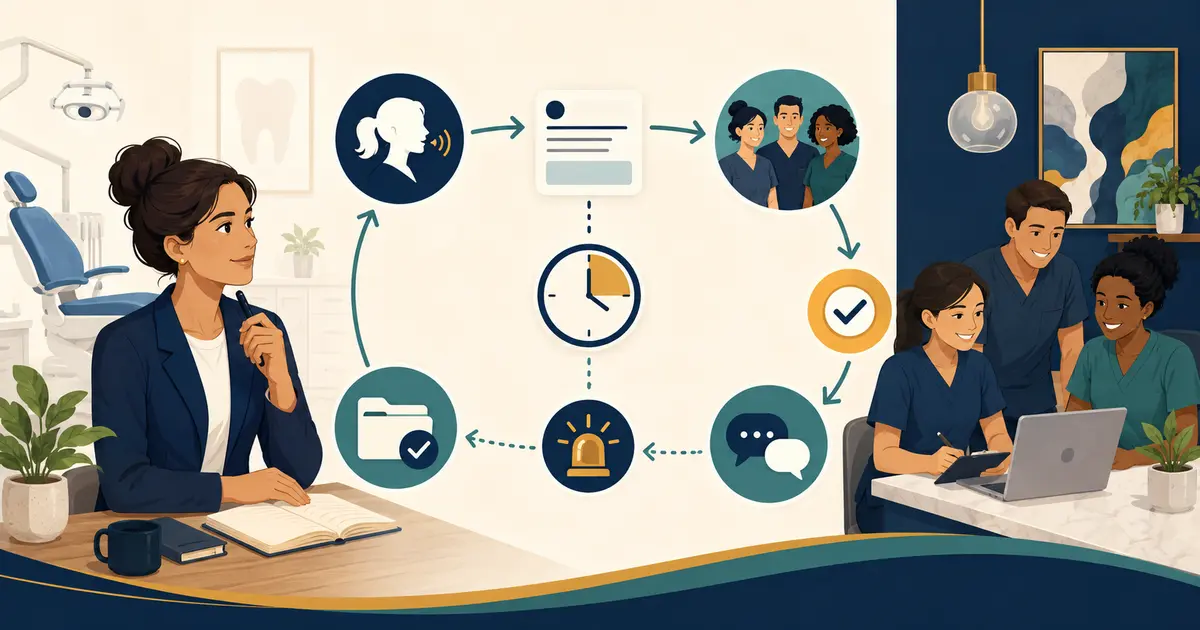
AI automation for dental offices should begin with a task and authority inventory, not a shopping list of tools. Decide what may be automated, what may only be assisted, what requires staff approval, and what must remain a clinician decision.
Start with one low-risk workflow and prove the handoff before expanding.
Inventory tasks as transactions
List recurring work such as answering general office questions, capturing missed-call requests, reminders, form distribution, document routing, schedule-request intake, insurance data collection, payment messages, note drafting, analytics, and marketing.
For each task, write:
- trigger;
- input source;
- data used;
- action performed;
- authoritative system;
- required reviewer;
- completion evidence;
- error path;
- prohibited action;
- rollback.
“Automate front desk” is too broad to govern.
The dental office communication tools guide helps identify the systems a new practice may need before adding AI.
Use four authority levels
1. Automate
The system may complete a narrow reversible action under defined rules, such as routing a non-sensitive internal notification.
2. Assist
The system drafts, summarizes, classifies, or surfaces information, but a person reviews before the result affects the patient or record.
3. Human decision
Staff verify identity, change schedules, resolve benefits, approve payments, and handle exceptions under practice policy.
4. Clinician decision
Diagnosis, triage, treatment, medication, and individualized clinical advice remain with qualified clinicians.
Do not let marketing language move a task into a higher authority level.
Establish the source of truth
Every automated fact or action needs one authoritative source. Office hours may come from a governed practice profile; appointment status from the scheduling system; communication preference from the approved patient record.
Define what happens when sources conflict, fields are missing, or an integration is unavailable. The system should stop and create a visible review item rather than invent a value.
The AI hallucination and escalation guide provides a control model for uncertain answers.
Map data exposure
Draw the flow through the practice system, AI vendor, telephony, messaging, hosting, analytics, support, and subcontractors. Determine whether protected health information or other sensitive data is necessary for the task.
Apply data minimization, role-based access, individual accounts, multifactor authentication, retention, logging, export, deletion, and incident controls. HHS business associate requirements depend on the relationship and service; qualified advisers should review contracts.
NIST Cybersecurity Framework 2.0 organizes cybersecurity outcomes around governance, identification, protection, detection, response, and recovery. A new practice can use those functions to structure vendor questions.
Test normal and failed states
For each automation, test:
- correct complete input;
- missing required field;
- conflicting data;
- duplicate trigger;
- wrong identity;
- expired credentials;
- network or vendor outage;
- partial write;
- staff changes the record concurrently;
- patient withdraws consent;
- accessibility or language request;
- manual rollback.
Record expected and actual results. A polished happy-path demo is not acceptance testing.
Assign a human exception queue
Automation moves work; it does not own work. Every exception needs a monitored queue, primary owner, backup, due rule, escalation, and closure definition.
Review queue age, delivery failures, duplicate actions, staff overrides, corrections, and unresolved items. If employees maintain a shadow spreadsheet because they do not trust the automation, treat that as a design failure to investigate.
The AI onboarding plan includes training, rollout, and rollback controls.
Measure the intended outcome
Choose a measure close to the task:
- correctly routed requests;
- staff review time;
- missing-field rate;
- failed deliveries;
- duplicate records;
- average queue age;
- staff corrections;
- patient-reported confusion;
- incidents or prohibited actions.
Do not equate clicks saved with care quality, revenue, or patient satisfaction. Keep raw counts with percentages and compare similar periods.
Build the vendor exit plan
Before signing, document data export, access revocation, connector removal, record retention, deletion evidence, replacement of phone routes or templates, and restoration of manual work. Confirm who owns prompts, configurations, phone numbers, and generated records.
Run the rollback using fictional data. An exit clause that has never been operationally tested is only a contract sentence.
Keep Missed Calls Dental narrow
Missed Calls Dental is a missed-call backup, not a full dental office automation platform. It answers eligible forwarded missed calls and captures caller requests for front desk follow-up. It does not integrate with a practice management system, book appointments, verify benefits, diagnose, or triage.
The add-AI-without-replacing-staff guide explains how narrow automation can complement accountable people.
Approve one use case at a time
For every go-live, require a named owner, purpose, authority level, approved data, vendor scope, completed tests, exception queue, measurement plan, rollback, and review date. Pause expansion when the first workflow still produces unresolved exceptions.
A new practice gains more from a small automation it can explain than from a broad system nobody can audit. Make boundaries visible before opening, while processes are still easier to change.
Create a pre-opening automation register
Maintain one row per automation with the use case, vendor, owner, authority level, systems touched, data category, permissions, contract status, acceptance tests, exception queue, success measure, rollback, and next review date. Include tools embedded inside larger platforms; a feature does not stop being AI because the vendor presents it as a default.
Rank each use case by impact and reversibility. A draft internal summary is easier to correct than a patient-facing benefit statement or a direct schedule write. Launch lower-impact, reversible use cases first and require stronger evidence as authority increases.
Set a change-review trigger. A new model, integration, data source, prompt, vendor subcontractor, office location, or intended use can change the risk even when the product name remains the same. Require the owner to update the register and rerun affected tests before enabling the change.
Train staff to report near misses, not just visible failures. Examples include a wrong answer caught before sending, a duplicate prevented manually, or a clinical message that almost entered an administrative queue. Near misses help improve controls before a patient experiences the error.
At the first 30-day review, compare promised capability with actual work. Count staff review minutes, exceptions, corrections, outages, and shadow processes. Decide whether to keep, narrow, expand, pause, or retire the automation. Record the decision and evidence.
The register prevents enthusiasm from becoming invisible infrastructure. It gives the future owner a current map of what the practice has delegated to software—and, more importantly, what it has not.
Require an opening-day safe mode
Every AI workflow should have a degraded state that preserves essential operations without pretending the automation succeeded. For a call system, that may be controlled request capture or voicemail. For a scheduling or messaging integration, it may be a visible staff queue with no automatic write.
Document the trigger, person authorized to enable it, caller or patient wording, manual owner, and restoration test. Practice it before opening and after material changes. Staff should not need vendor engineering access to stop a risky action.
Add safe-mode evidence to the automation register: last drill date, result, defects, and next test. When a workflow fails, review whether the fallback protected data, preserved the request, and avoided false confirmation. Graceful failure is part of the requirement, not an optional disaster plan.
Before the first patient day, securely store the few fallback instructions staff need if identity, internet, phone, or a vendor account is unavailable. Retire temporary copies once the final controlled runbook is verified.