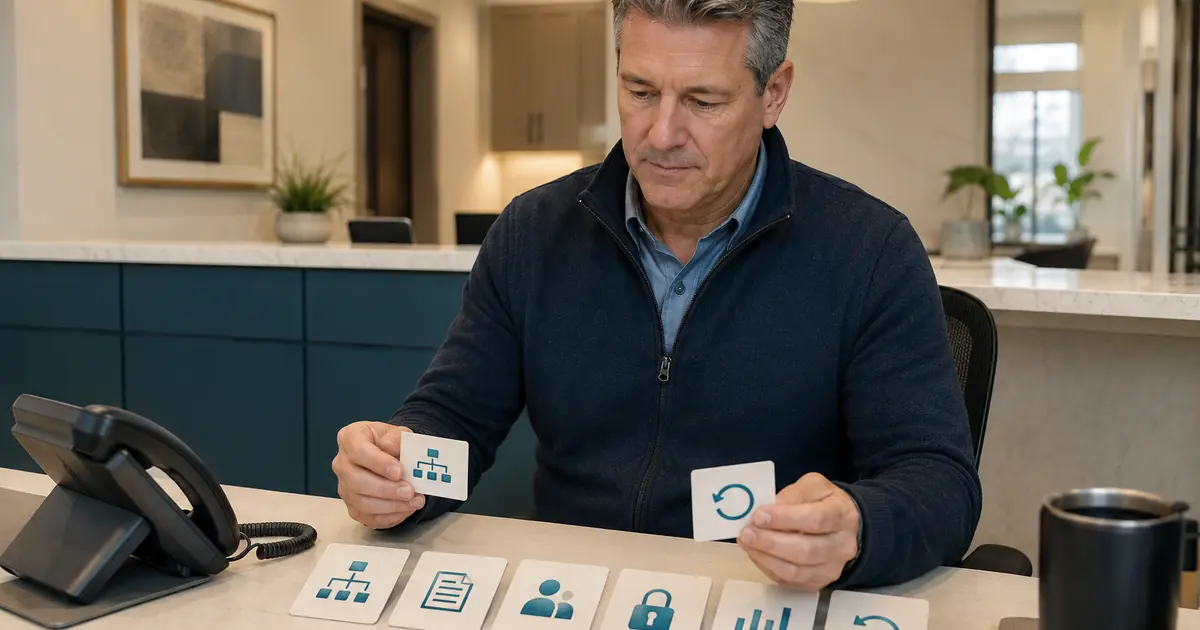
Dental AI receptionist onboarding should move through six controlled stages: scope, information, configuration, testing, staff readiness, and staged launch. A manager should not send live patient calls to the system until the practice can explain what it may do, what it must refuse, where every request goes, how failures recover, and who can turn routing off.
Onboarding is complete when the operating workflow is accepted—not when an account exists.
Stage 1: Write the job description
Define the assigned role in observable terms. For example:
Answer eligible missed calls, respond to approved general office questions, collect caller requests, and send a clear record to the front desk for follow-up.
List excluded work just as clearly. Missed Calls Dental does not book or change appointments, integrate with a practice-management system, verify insurance benefits, diagnose, triage, or replace staff. Your practice remains responsible for reviewing requests, following up, maintaining accurate information, and making clinical and business decisions.
Use a responsibility table:
| Activity | AI | Front desk | Manager/owner | Clinical role |
|---|---|---|---|---|
| Answer approved general facts | Defined scope | Update facts | Approve source | — |
| Capture appointment preference | Record request | Review and contact | Define process | — |
| Confirm appointment | No | Authorized workflow only | Approve authority | — |
| Insurance question | Approved general language only | Route to authorized role | Approve wording | — |
| Clinical question | No advice or triage | Capture under policy | Maintain escalation | Decide/respond |
| Failed call path | Execute fallback | Recover request | Own incident | As needed |
The AI answering without staff replacement guide helps define a support role that preserves human judgment.
Stage 2: Build the source of truth
Collect only current, approved information:
- official practice and location names;
- addresses, phone numbers, hours, and closures;
- provider names and approved descriptions;
- general service descriptions;
- parking and access information;
- approved insurance-participation wording;
- appointment-request status language;
- transfer and fallback destinations;
- language and accessibility resources;
- answers the AI must not provide.
Assign an owner and review date to each group of facts. Identify where the official value lives. A copied onboarding document becomes stale quickly unless change control is defined.
Create a safe unknown response. The system should capture the question for staff instead of inferring from similar information.
Stage 3: Configure the routing boundary
Document the call path from the published number to the AI and back to staff. Confirm actual capabilities with the phone provider. Test busy, no-answer, after-hours, overflow, and unavailable conditions separately.
Record:
- forwarding trigger;
- delay or ring count;
- caller ID behavior;
- voicemail order;
- destinations by condition and schedule;
- transfer path;
- request notification channels;
- fallback during provider, vendor, internet, or power failure;
- procedure to disable forwarding;
- person authorized to change routing.
The conditional forwarding guide explains why provider-specific behavior must be verified before launch.
Stage 4: Test with fictional calls
Create an acceptance set that covers normal, edge, and failure cases. Never use real patient information.
Test at least:
- hours and location question;
- unknown practice fact;
- new-patient appointment request;
- existing-patient change request;
- insurance and price questions;
- clinical-advice request;
- urgent language under approved policy;
- correction to a callback number;
- interruption, silence, and disconnect;
- request for a person;
- failed transfer;
- closed or holiday schedule;
- accessibility or language need;
- duplicate caller request;
- notification or dashboard failure.
For each scenario, record expected behavior, actual behavior, defect, owner, configuration change, and retest result. A defect is closed only after the changed version passes.
The AI demo test plan provides a scoring rubric for these calls.
Stage 5: Train the receiving staff
Training an AI receptionist also means training the people who receive its work. Front desk staff should be able to:
- recognize an AI-captured request;
- find the call state and callback information;
- distinguish request from confirmed appointment;
- see what information the caller received;
- identify missing or uncertain fields;
- claim or reassign ownership;
- merge or flag duplicates;
- document the final outcome;
- report an inaccurate answer;
- escalate a privacy or safety concern;
- work during a service outage.
Use fictional requests and require the employee to complete the workflow, not just watch a demonstration. Document who was trained, on which version, and what support path remains available.
Stage 6: Launch in a narrow condition
Start with the smallest condition that creates value and can be supervised, such as eligible no-answer calls during selected hours. Avoid changing several locations, schedules, menus, and vendors on the same day.
Before launch, confirm:
- approved configuration version;
- routing and rollback tests;
- request owner by shift;
- daily review time;
- incident contacts;
- outage fallback;
- notice or disclosure requirements approved by advisers;
- metrics and alert thresholds;
- launch decision owner.
Keep the initial stage long enough to observe a full mix of operating days. Expand only after the current scope meets acceptance criteria.
Monitor defects, not just call counts
During early operation, review every eligible call or a risk-based sample approved by the practice. Track:
- inaccurate or stale facts;
- unsupported answers;
- unclear appointment state;
- incomplete contact information;
- duplicate requests;
- missed accessibility needs;
- failed transfers or notifications;
- requests without owners;
- caller confusion;
- staff corrections;
- privacy concerns;
- routes activated under the wrong condition.
Define the denominator for every metric. “Accuracy” is meaningless without the test set, field, call type, and scoring method.
NIST's voluntary AI Risk Management Framework organizes work into govern, map, measure, and manage. That structure fits onboarding: assign accountability, understand the use case, test performance, and respond to risk.
Protect information through the lifecycle
Map audio, transcripts, summaries, caller details, notifications, exports, and backups. Determine which vendors create, receive, maintain, or transmit protected health information and what contracts and safeguards apply.
HHS says risk analysis should include all electronic protected health information and should be revisited when new technology or business operations are introduced. Involve privacy, security, and legal advisers in the review; onboarding checklists do not certify compliance.
Apply minimum necessary principles to intake fields, notifications, access roles, and review screens. Avoid displaying sensitive details in lock-screen previews or broad group channels.
Establish change control
After launch, every material change should have:
- requestor and business reason;
- affected facts, script, route, or policy;
- risk review;
- preview or test evidence;
- approver;
- effective time;
- communication to staff;
- rollback version;
- post-change monitoring.
Urgent corrections may need a faster path, but they still require an owner and retrospective documentation.
The dental office communication policy can connect AI requests with the practice's broader channel and outage rules.
Define the pause criteria
Managers should know when to stop or narrow the service. Examples include:
- repeated invented practice facts;
- clinical, insurance, price, or booking claims outside authority;
- routing to the wrong location or owner;
- missing request records;
- unresolved privacy or security incident;
- inability to disable routing;
- widespread caller confusion;
- material vendor change not yet evaluated.
Pausing is a control, not a failure of the project. It protects callers while the practice diagnoses, corrects, and retests.
Dental AI receptionist implementation succeeds when the practice can demonstrate the role, source of truth, tests, staff workflow, monitoring, and rollback. The manager's job is to make those controls routine so the AI remains a supervised part of the call system rather than an unowned experiment.