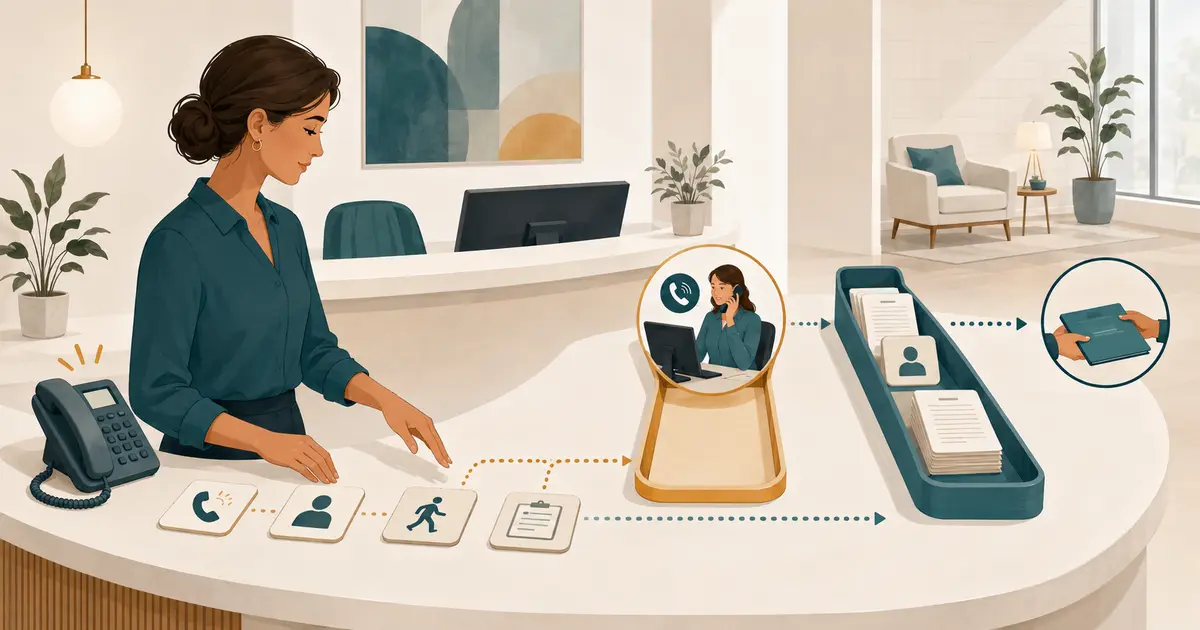
To reduce dental front desk workload without losing calls, separate work that requires an immediate response from work that can be queued, remove duplicate entry and duplicate notifications, standardize the information collected from callers, and assign every request to one visible owner. Add staffing or answering coverage only after the manager knows which call conditions and tasks are creating the load.
The goal is not to make the front desk do the same work faster. It is to eliminate avoidable work while protecting the conversations, decisions, and follow-up that still need people.
Measure workload as work, not just call volume
A call count does not show why the day feels overloaded. One short directions call and one unresolved insurance question can create very different amounts of work.
For two typical weeks, sample:
- inbound calls by half hour;
- calls answered, abandoned, forwarded, or sent to voicemail;
- call reason in broad non-clinical categories;
- handling time;
- after-call documentation time;
- number of interruptions during check-in and checkout;
- messages missing a callback number or clear request;
- duplicate calls, texts, forms, and voicemails from the same person;
- requests handed from one employee to another;
- time from request arrival to assignment;
- requests still unassigned at lunch, closing, and next opening;
- work repeated in more than one system;
- overtime or skipped batch work linked to call interruptions.
Use the dental call tracking metrics definitions for phone outcomes, then add task-level measures. The manager needs to see both demand and the work created after the call.
Find the four sources of front-desk load
Most overload is a mix of four conditions.
Demand exceeds staffed capacity
More calls arrive than the available trained employees can answer while handling in-person work.
The workflow creates rework
Staff listen to a voicemail, copy it to a note, send a message, enter a task, and later ask the caller for missing information.
Ownership is unclear
Several people receive an alert, but no one is responsible for the next step.
The front desk owns work that belongs elsewhere
Clinical, billing, records, insurance, management, and privacy questions remain at reception because the practice has not defined another owner.
Do not choose one technology for all four. Staffing can address capacity but leave rework untouched. Automation can reduce repetitive steps but create more notifications. A new queue can clarify ownership but fail if roles are not available.
Separate live work from queued work
Real-time work should remain narrow:
- greet and check in a person at the desk;
- answer an available inbound call;
- identify the caller's main request;
- collect the minimum safe information;
- use approved current office information;
- place the request with the right role;
- follow the practice's separate urgent-concern process.
Other work can often be assigned and completed in planned blocks:
- returning routine messages;
- reviewing non-urgent appointment requests;
- records processing;
- insurance and account research;
- referral follow-up;
- confirmation work;
- incomplete-form review;
- routine data cleanup;
- reporting and manager review.
Define what qualifies for immediate interruption. “Caller asked for the manager” is not automatically an emergency. “Patient has a clinical question” means route under the approved process, not interrupt any clinician without a rule.
Batching is not delaying work indefinitely. Each queue needs a review cadence, owner, and backup.
Use one request queue
Front-desk workload grows when the same request exists as:
- a voicemail;
- an email;
- a sticky note;
- an internal chat;
- a text alert;
- a calendar reminder;
- a task in another system.
Choose one primary working item. Alerts should direct staff to that item rather than reproduce the complete request.
Each request should contain:
- caller name after the practice's normal identification step;
- confirmed callback number;
- location;
- broad request category;
- concise request summary;
- preference or open question;
- source and time received;
- expectation given to the caller;
- assigned owner;
- current next step;
- status.
Use a short status set such as New, Assigned, Waiting, and Complete. A status should tell the next employee what work remains. Avoid building a miniature CRM around every phone call.
The after-hours appointment-request workflow shows how a narrow request can move into morning ownership without being described as a confirmed appointment.
Standardize request categories
Categories should support routing, not diagnose the caller or predict the outcome.
| Request category | Minimum front-desk action | Owner |
|---|---|---|
| New-patient inquiry | Capture general request, callback number, location, and timing preference | New-patient or scheduling role |
| Appointment request | Record request and preference without promising availability | Authorized scheduling role |
| Cancellation or rescheduling request | Document the requested change without claiming it is complete | Schedule owner |
| Clinical question | Capture contact and general reason; do not answer clinically | Authorized clinical role |
| Billing or account question | Record the item and question without promising an adjustment | Financial role |
| Insurance question | Record the plan-related question without confirming individual benefits | Insurance role |
| Records request | Start the approved identity and records process | Records or privacy role |
| Complaint | Capture concern and requested outcome objectively | Office manager or designated owner |
| Basic office information | Use approved current facts | Front desk or approved answering role |
| Urgent concern | Follow the separate practice-approved path without non-clinical triage | Designated clinical or emergency process |
Keep the categories few enough that employees can choose one quickly. If a request can fit two, assign the owner based on the next needed action and note the secondary question.
Collect the minimum useful information once
Long intake increases handling time. Incomplete intake creates a second call. Define the smallest safe request that lets the next person continue.
For most routine phone requests, that means:
- name;
- confirmed callback number;
- new or existing patient status, if relevant and known;
- location;
- general reason for calling;
- timing preference or open question;
- expectation given to the caller.
Do not ask the front desk or an answering tool to collect detailed symptoms, treatment histories, or a complete registration packet solely because the call has started. Clinical details belong in the practice's approved clinical process. Registration fields can wait until they are needed for the next authorized step.
The same field order should appear in phone scripts, voicemail prompts, answering coverage, and internal handoffs. The broader new-patient phone call checklist can be adapted without turning each inquiry into a full intake session.
Create an approved answer sheet
Repeated interruptions often come from staff searching for current information or asking another person the same question.
Maintain a controlled answer sheet for:
- address, directions, and parking;
- regular and holiday hours;
- services the practice has approved for public description;
- languages;
- accessibility information;
- general payment methods;
- general insurance-participation language;
- records-request starting point;
- cancellation and late-arrival policy language;
- new-patient next step;
- what the team says when an answer is unknown.
Each item needs an owner and last-review date. “Ask the dentist” is not an approved answer and should not be the default for routine office facts.
Do not add clinical advice, individual insurance conclusions, unapproved fee quotes, or scheduling promises. Unknown questions should become one clear request for the appropriate role.
Reduce notification noise
More alerts can make the front desk slower.
For each notification, decide:
- what event it represents;
- which role must act;
- whether the event already appears in the main queue;
- whether the alert needs immediate attention;
- what information can safely appear in the preview;
- how the alert is acknowledged;
- when it escalates to a backup;
- when it stops.
Use a real-time alert only when action cannot wait for the next planned review. Group routine summaries at a useful interval. Do not send the same request simultaneously to every receptionist, manager, and clinician unless the process names one owner and prevents duplicate action.
Protect focus at the physical front desk
Check-in and checkout combine privacy, payment, scheduling, phone, and hospitality work in a small space. Define an interruption rule.
Options include:
- one person owns arriving patients while another owns live calls during peaks;
- a visual handoff signals when the desk employee cannot answer;
- no-answer coverage starts after a measured threshold;
- managers take complaint escalations away from the check-in area;
- clinical messages enter a protected queue rather than a shouted hallway question;
- routine research waits for a scheduled batch block;
- the team uses one backup role when the primary call owner is absent.
Rotate high-interruption assignments fairly. A plan that permanently leaves one person with every difficult call may reduce queue age while increasing burnout and errors.
Match coverage to the specific call condition
If call demand truly exceeds capacity, choose coverage by trigger.
- Busy-line coverage handles a provider-defined occupied condition.
- No-answer coverage handles calls staff do not answer within the selected time.
- Lunch coverage handles a predictable staffing window.
- After-hours coverage handles the closed-office schedule.
- Outage coverage handles a phone or connection failure.
Keep the triggers separate. The busy-line coverage plan explains why a real-time busy condition needs different routing from a planned break.
Additional answering coverage can collect a caller's request and approved office facts for front-desk follow-up. It should not replace staff authority, make clinical decisions, confirm insurance benefits, or promise an appointment. The front desk still owns the office's follow-up process.
Use automation only for a defined repetitive step
Dental front desk automation should begin with a specific task, a known input, and a pass condition.
Good candidates may include:
- routing a completed request to the correct queue;
- applying a business-hours rule;
- alerting one owner to a new item;
- generating a standard task from a complete form;
- grouping routine reminders under the practice's approved system;
- presenting approved office information consistently;
- identifying an unassigned request for manager review.
Do not automate:
- clinical diagnosis or urgency decisions;
- final treatment or fee explanations;
- individual insurance-benefit conclusions;
- refunds or account adjustments without authorization;
- appointment confirmation without verified scheduling authority;
- employee-performance decisions;
- access to broad patient information without a role need.
Run the manual and automated paths side by side during a small pilot. Compare the resulting request, not only whether the software reported success.
Assign role-based access
Reducing workload does not justify putting every request in a widely visible inbox. Give each role access to the information needed for its work.
HHS explains in its HIPAA Security Rule summary that regulated entities need policies for appropriate workforce authorization, information access, security training, incident procedures, and contingency planning. Its minimum necessary guidance also describes limiting workforce access based on roles when that standard applies.
Translate those requirements into the practice's own workflow with qualified advisors. Review:
- individual accounts;
- role permissions;
- notification content;
- device and workstation access;
- access removal when a person leaves or changes roles;
- vendor handling of protected information;
- retention and deletion;
- outage and restoration procedures;
- periodic access review.
The fastest system is not acceptable if it spreads complete requests through personal email and group text threads.
Design the daily operating rhythm
A manager can reduce decision fatigue by making queue review predictable.
At opening
- Review after-hours and overnight requests.
- Assign every new item.
- Identify schedule-sensitive and practice-approved urgent-path exceptions.
- Confirm the day's call owner and backup.
Before lunch
- Reconcile unassigned morning items.
- Activate or confirm the lunch coverage rule.
- Name the first person who will review the lunch queue.
After lunch
- Return the normal route.
- Remove obvious duplicates while preserving corrections.
- Assign every lunch-period request.
Before closing
- Review all
NewandAssigneditems. - Confirm what is waiting and why.
- Set ownership for any overnight next step.
- Verify that after-hours routing and office information are current.
The routine should fit on one page. If it requires a complex report to know whether work remains, simplify the queue.
Measure whether workload actually improved
Compare the pilot with the baseline using the same definitions.
Track:
- calls answered by staff;
- calls captured through the intended coverage path;
- usable-request rate;
- requests missing a callback number;
- time from request arrival to assignment;
- unassigned items at closing;
- duplicate work items;
- repeat calls before follow-up;
- staff minutes per completed request;
- overtime or backlog that actually changed;
- routing, privacy, or notification exceptions;
- employee feedback by task and time window.
Do not claim success because one queue looks shorter. Work may have moved into email, voicemail, or another employee's invisible backlog.
The ADA's managing dental teams resources emphasize communication, training, and keeping the office in sync. Review the workflow with the employees who use it and the roles that receive handoffs.
A four-week improvement sequence
Week 1: Observe
Measure calls, interruptions, rework, ownership delays, and duplicated entry. Do not change several systems at once.
Week 2: Standardize
Set categories, minimum request fields, approved answers, ownership, and daily review times.
Week 3: Remove and route
Eliminate duplicate alerts and entries. Move role-specific work to the correct owner. Pilot one narrow coverage or automation rule if the evidence supports it.
Week 4: Verify
Compare queue age, staff time, request quality, missed calls, duplicates, and exceptions with the baseline. Keep, adjust, or reverse each change based on the result.
Dental front desk workload checklist
Before expanding a new workflow, confirm that:
- [ ] workload is measured by task and time window, not call count alone;
- [ ] real-time and batch work are separated;
- [ ] one primary queue owns patient requests;
- [ ] alerts point to work instead of duplicating it;
- [ ] every request category has a primary and backup owner;
- [ ] minimum request fields are consistent across channels;
- [ ] approved office information has an owner and review date;
- [ ] front-desk, clinical, billing, insurance, records, and management boundaries are clear;
- [ ] coverage matches a defined busy, no-answer, lunch, after-hours, or outage condition;
- [ ] automation has one narrow task and a measurable pass condition;
- [ ] role-based access and privacy safeguards are reviewed;
- [ ] opening, lunch, and closing routines expose unassigned work;
- [ ] the pilot compares the same measures with the baseline;
- [ ] staff feedback identifies where work moved, not only where it disappeared.
The best workload reduction leaves the team with fewer interruptions, fewer duplicate steps, and clearer ownership while preserving accurate, human-controlled patient follow-up.