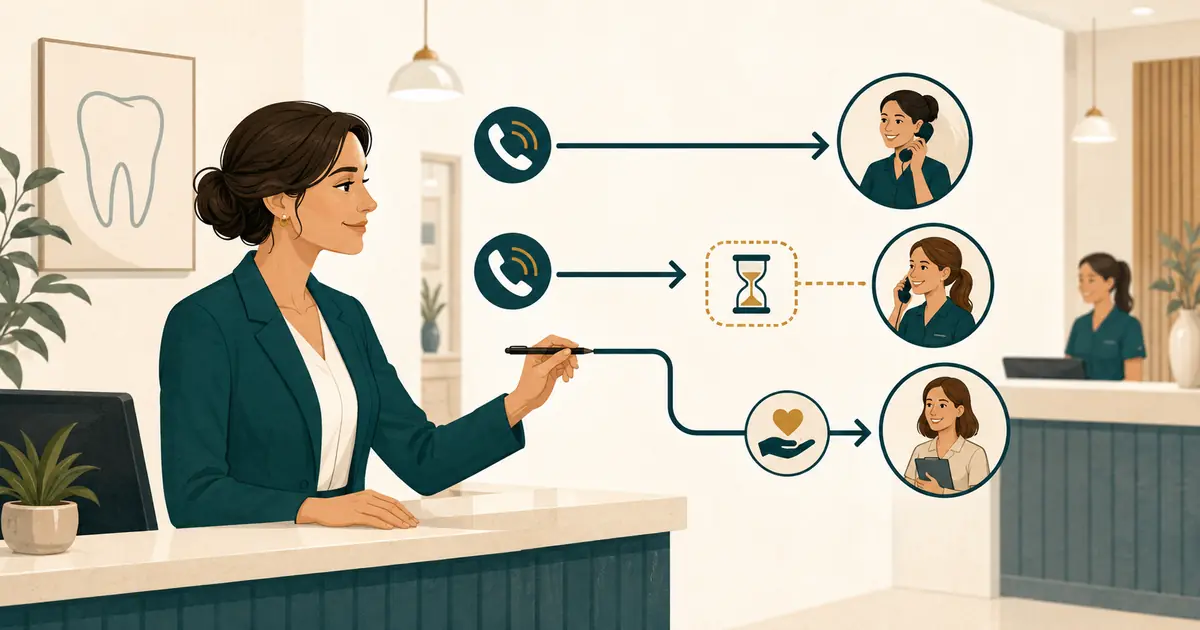
If you need a busy line solution for dental office calls, start with an operating plan before choosing a phone feature. The office manager must define what “busy” means, which calls the front desk can still answer, when a caller may be placed on a brief hold, when a call should move to coverage, and who owns the follow-up afterward.
Without those rules, adding another line, queue, answering service, or AI destination can simply move the confusion. Calls may ring in several places, staff may assume someone else responded, and callers may repeat the same request.
Build the workflow around observable call conditions and named owners. Then configure the phone system to support that workflow.
Define the busy condition in your actual phone system
“The receptionist was busy” can describe several different events:
- the front desk was speaking with a patient in person;
- one team member was already on another call;
- every available line or call path was occupied;
- a call waited longer than the office's approved answer window;
- the phone rang while staff were handling a payment, privacy-sensitive question, or urgent office task;
- several calls arrived within the same minute;
- the office was technically open but temporarily uncovered.
Ask your phone provider what event activates busy forwarding or overflow. A single desk phone showing in use does not always mean the telephone service considers the main number busy. Multi-line, hunt-group, VoIP, and mobile systems can treat the same situation differently.
Document the trigger in plain language, such as:
When all front-desk call paths are occupied, send the next incoming call to the approved coverage destination. If a call rings unanswered for the configured interval, use the separate no-answer rule.
That distinction matters. Busy coverage handles calls that cannot enter an available line. No-answer coverage handles calls that ring but receive no staff response.
Measure the problem before changing the routing
Use a short baseline period to understand when calls compete for attention. You do not need an invented industry benchmark. Review your own data.
Track:
- day and time;
- whether the call was answered, abandoned, sent to voicemail, or forwarded;
- whether staff were on another call or assisting someone in person;
- whether the caller tried again;
- whether a callback request was created;
- when the office completed the follow-up;
- recurring windows such as opening time, lunch, late afternoon, or campaign days.
The article on dental call tracking metrics explains how to calculate an office baseline without treating missing data as zero.
Look for a repeatable operational gap. If almost every conflict occurs during a 20-minute opening rush, the answer may be a staffing and routing rule for that window. If the condition appears throughout the day, the office may need broader coverage.
Decide the order of response
A simple busy-line plan usually uses four possible actions:
- Answer the new call if a trained team member is available.
- Ask permission for a brief hold when staff can return promptly.
- Offer or create a callback request when a hold is not appropriate.
- Send the call to the approved coverage destination when the phone condition triggers.
Do not build a workflow that requires staff to judge all four options while the phone is ringing. Define the default for each common situation.
| Situation | Default action | Owner after the call |
|---|---|---|
| One front-desk person is free | Answer using the standard greeting | Answering team member |
| Staff can return within the office's brief-hold rule | Ask permission before placing on hold | Same team member |
| Staff cannot return promptly | Capture a callback request or use coverage | Assigned queue owner |
| All configured call paths are occupied | Busy-line forwarding or overflow rule | Coverage-review owner |
| Caller describes an urgent concern | Use the practice-approved urgent-call process | Defined clinical role |
The table should reflect your staffing, provider capabilities, and practice policy. Do not promise a response time solely because a phone feature can create a notification.
Write a brief-hold rule the team can follow
A hold is useful only when someone owns it. Set a practical office rule for:
- who may place a caller on hold;
- the words used to ask permission;
- the maximum interval before staff return or offer another option;
- how the phone shows which caller is waiting;
- what happens if the original team member becomes unavailable;
- whether the caller can choose a callback instead.
Use direct language:
“May I place you on a brief hold while I finish helping this patient?”
Avoid saying “one second” when the team cannot know how long the interruption will take. If the wait becomes longer than expected, return to the caller, explain the available options, and let the caller choose whether to continue holding or receive a follow-up.
The ADA's guidance for phone calls from prospective patients recommends consistent greetings and scripts and notes that short holds may sometimes be necessary. Your practice still needs its own rule for ownership and return.
Create a callback path that does not lose context
If the office cannot answer fully, a callback request should preserve enough information for the next team member to act without making the caller repeat everything.
Capture:
- caller name;
- callback number;
- intended location;
- new or existing patient status, if known;
- general reason for the call;
- unanswered question;
- preferred contact time, stated as a preference rather than a promise;
- time of the original call;
- what the caller was told would happen next.
Use a neutral closing:
“I’ll send your request to the dental office team so they can review it and follow up.”
Do not say that an appointment is booked, insurance is confirmed, a treatment is appropriate, or a specific return time is guaranteed unless the staff member has verified authority and information to make that statement.
For detailed callback wording, use the missed patient call scripts as a separate front-desk procedure.
Configure busy forwarding only after the rule is approved
Phone providers may offer separate forwarding for busy, no-answer, unavailable, or scheduled conditions. AT&T's small-business documentation, for example, lists Busy Call Forwarding and No Answer Call Forwarding as separate features. Your provider, plan, and phone architecture determine what is actually available.
Before activation, verify:
- the exact event that triggers forwarding;
- the destination number;
- whether the original caller's number is preserved;
- whether the forwarded call can loop back into the main number;
- the order of busy forwarding, no-answer forwarding, and voicemail;
- whether schedules or holidays change the rule;
- how to disable the feature;
- what happens if the coverage destination is unavailable.
Never copy another office's star code or ring setting without confirming it for your account. Test from outside numbers while each front-desk line is intentionally occupied.
Make the coverage destination part of the same queue
The caller's path may change, but staff ownership should not disappear. Whether the destination is another staff member, a centralized team, a human answering service, or an AI call-capture service, send the resulting request into one clearly owned workflow.
Require the destination to:
- use the approved practice name and greeting;
- distinguish locations correctly;
- answer only approved office questions;
- capture the caller's request without inventing details;
- avoid clinical advice and treatment decisions;
- avoid promising appointment availability;
- create a clear handoff with a timestamp and next action;
- follow the practice's separate urgent-call instructions;
- use a documented fallback when it cannot complete the normal path.
If you are evaluating whether the gap requires outside coverage at all, the call overflow decision guide addresses capacity and buying questions. This article focuses on the day-to-day busy-line workflow after the office identifies a recurring conflict.
Assign one queue owner per shift
Notifications do not own requests. People do.
For every staffed period, name:
- the primary person who reviews busy-line handoffs;
- a backup if that person is assisting a patient or absent;
- the location owner for multi-location calls;
- the person who closes completed requests;
- the manager who reviews old or unassigned items.
Use one visible state model, such as:
- New;
- Assigned;
- Waiting for caller;
- Completed;
- Escalated under the practice's approved process.
Avoid engineering or vendor status labels in normal front-desk work. Staff need to know what to do next, not how the phone platform processed the event.
Write the front-desk scripts before training
Scripts should support judgment, not replace it. Give the team short phrases for the transition points.
When another call arrives
“Thank you for calling [Practice Name]. This is [Name]. How may I help you?”
When a brief hold is appropriate
“May I place you on a brief hold while I finish helping another patient?”
When the caller prefers a follow-up
“I can take your callback information and pass your request to the office team.”
When the caller asks for an appointment time staff cannot verify
“I can note the days and times you prefer. The scheduling team will review availability and follow up.”
When the request is outside the employee's approved scope
“I’ll document your question for the appropriate team member rather than give you incomplete information.”
Role-play interruptions, caller corrections, two calls arriving together, and a handoff between team members. The difficult part is preserving ownership while attention changes.
Test the complete busy-line plan
Run controlled calls before using the rule with patients.
| Test condition | What to verify |
|---|---|
| One line available | Front desk receives and answers the call normally |
| Every configured line occupied | New call follows the approved busy route |
| Ringing but unanswered | No-answer rule behaves separately from busy forwarding |
| Caller placed on hold | Caller hears the correct experience and remains visible to staff |
| Caller chooses callback | One complete request appears in the owned queue |
| Coverage destination unavailable | Fallback path prevents silent loss |
| Caller changes callback number | Corrected number appears in the final handoff |
| Appointment request | Preference is captured without a booking promise |
| Urgent concern | Practice-approved path is used without non-clinical triage |
| Forwarding disabled | Calls return to the intended normal path |
Test more than once and from more than one carrier. After each call, compare what the caller said with what the front desk received.
Review the plan with operational measures
After launch, review the workflow weekly until it is stable. Use the office's own measures:
- calls that met the busy condition;
- calls that entered coverage;
- abandoned calls before and after the routing change;
- requests missing callback information;
- duplicate requests from repeat callers;
- time from request creation to staff ownership;
- requests still unassigned at closing;
- routing or voicemail failures;
- common questions the coverage path could not answer.
Do not treat more forwarded calls as automatic success. The goal is a caller request that reaches the right team member with enough context to follow up.
Busy-line call coverage checklist
Before activating the plan, confirm that:
- [ ] “busy” has one provider-specific definition;
- [ ] busy and no-answer conditions are documented separately;
- [ ] the brief-hold rule has an owner and return step;
- [ ] callback requests contain the required fields;
- [ ] the forwarding destination and fallback are verified;
- [ ] voicemail does not answer before the intended route;
- [ ] one primary and one backup queue owner are assigned per shift;
- [ ] staff scripts avoid unverified promises;
- [ ] appointment requests are not treated as bookings;
- [ ] urgent calls use the separate practice-approved process;
- [ ] controlled tests pass from outside numbers;
- [ ] rollback steps are available to the manager;
- [ ] the first weekly review is scheduled.
A useful busy-line solution does not try to make every caller wait for the same person. It gives each call a defined next path and gives every resulting request a visible owner.