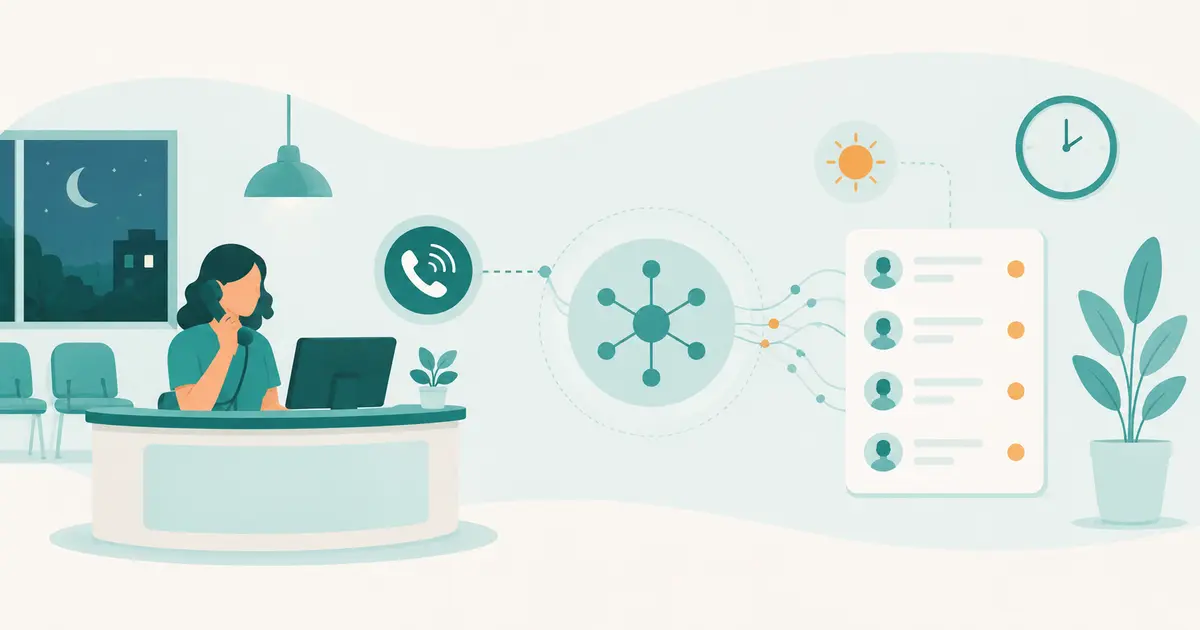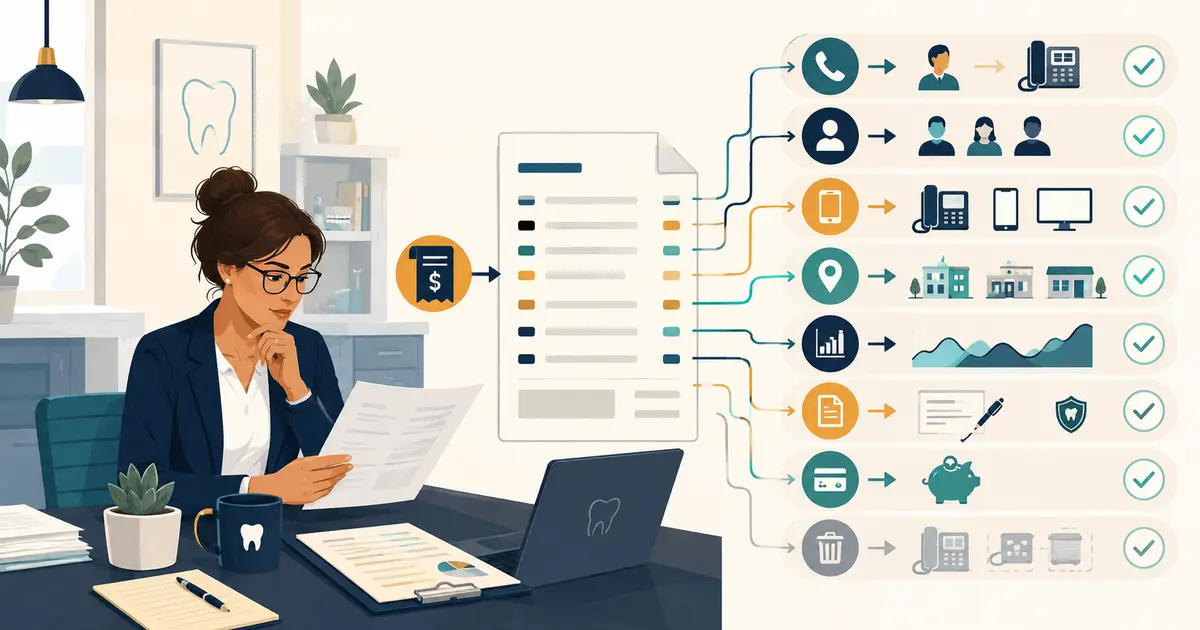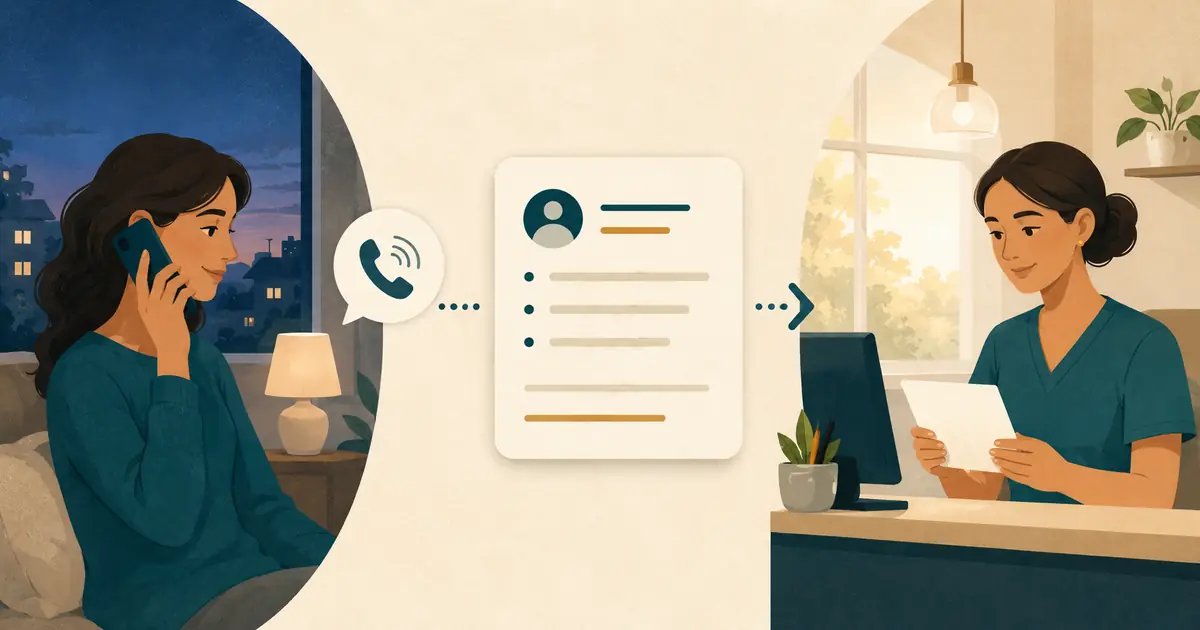
To capture dental appointment requests after hours, collect a small set of usable details, tell the caller that the office will review the request, and place one clear handoff in the front desk's opening queue. Do not turn a request into a promised appointment when no authorized team member has checked the schedule.
The goal is continuity. A caller should not have to start over the next morning, and the front desk should not have to search voicemail, email, text alerts, and handwritten notes to understand what happened.
Use one intake standard across voicemail, a human answering service, AI call answering, and any other approved after-hours channel. The words may differ, but the request fields, safety boundary, ownership, and callback process should remain consistent.
Define what an appointment request is
An appointment request records what the caller wants and when the caller prefers to be seen. It is not a reserved time.
A complete request can contain:
- caller name;
- callback number;
- new or existing patient status, if known;
- intended office location;
- general reason for calling;
- preferred days or time ranges;
- preferred contact method, when appropriate;
- the time the request arrived;
- any question that staff still need to answer.
The front desk later checks the schedule, provider, visit type, office policy, and other information required to offer an appointment. Until that happens, use “request,” “preference,” and “follow-up”—not “booking,” “confirmation,” or “reserved time.”
The ADA's guidance on calls from prospective patients recommends consistent phone scripts and collecting useful intake information once a caller is interested in a first appointment. Your after-hours version should collect only what the office needs for the next step and preserve the same professional tone.
Create one after-hours intake form
Use the same field order regardless of who or what answers. A consistent sequence makes the morning queue faster to scan.
| Field | Why the front desk needs it | Boundary |
|---|---|---|
| Caller name | Identifies the request | Ask for a preferred name; do not guess spelling |
| Callback number | Enables follow-up | Read it back for confirmation |
| New or existing patient | Helps route the request | Do not expose or infer patient history |
| Location | Sends the request to the right team | Do not assume based on area code |
| General request | Explains the purpose of the call | Use the caller's neutral wording |
| Preferred days or times | Gives staff a starting point | Preference is not availability |
| Open question | Preserves what staff must answer | Do not invent an answer |
| Arrival time | Supports queue order and ownership | Use the actual call timestamp |
Avoid collecting a complete clinical history during routine appointment intake. If the office needs additional information, an authorized team member can ask during the follow-up using the practice's approved process.
Use a greeting that sets the right expectation
The opening should identify the practice, explain that the office is closed, and state what the channel can do.
Interactive answering example
“Thank you for calling [Practice Name]. The office is currently closed. I can take your appointment request and contact information for the dental office team to review.”
Voicemail example
“Thank you for calling [Practice Name]. Our office is closed. To request an appointment, please leave your name, callback number, whether you are a new or existing patient, and the days or times you prefer. A team member will review your request and follow up.”
Do not say “book an appointment now” unless the channel can actually access current availability and complete a practice-approved booking. Do not say “we will call first thing tomorrow” unless staffing and holiday coverage make that statement consistently true.
For broader closed-office messaging, see how to handle after-hours dental office calls. This workflow focuses specifically on appointment requests and the front desk's next action.
Ask for preferences without creating a promise
The caller's preferred timing is useful, but the wording matters.
Ask:
“What days or times usually work best for you?”
Then close the loop:
“I’ll include those preferences in your request. The dental office will review availability and follow up.”
Avoid phrases such as:
- “That time should be available.”
- “We can fit you in tomorrow.”
- “Your appointment is almost confirmed.”
- “The dentist will see you at that time.”
- “Someone will definitely call within an hour.”
Even if the calendar looked open earlier, availability can change. The staff member who owns scheduling should make the actual offer.
Separate routine requests from urgent concerns
An appointment-request script must not become a clinical triage script. A caller may describe pain, swelling, bleeding, trauma, or another concern while asking for an appointment. The after-hours channel should follow the dental practice's approved urgent-call instructions without diagnosing, ranking severity, recommending treatment, or deciding how long the caller can wait.
Create a separate path that states:
- what the channel says when a caller mentions an urgent concern;
- which approved on-call number, dentist, or other resource receives the handoff;
- what contact details are captured;
- what happens if the approved destination does not answer;
- what instruction is given for a life-threatening emergency;
- which team member reviews the process and any failed handoffs.
The ADA's emergency-treatment guidance recommends clear closed-office instructions for life-threatening emergencies and an after-hours contact path for patients of record. The practice owner should adapt and approve the exact wording with appropriate clinical and legal guidance.
Do not hide an urgent concern inside the ordinary next-day appointment queue. At the same time, do not ask a receptionist, answering agent, or software to make a clinical determination outside its approved role.
Confirm the callback number before ending
An after-hours request has little value if the office cannot return it. Read the number back in groups and ask the caller to correct it.
Use:
“I have your callback number as [number]. Is that correct?”
If the caller uses a different number for messages, record the distinction clearly. Do not assume the number shown by caller ID is the preferred callback number, especially when someone calls from a work phone, shared family phone, or blocked line.
When the caller corrects a name or number, the final handoff should show the corrected value rather than both versions without explanation.
End with one accurate next step
The closing should tell the caller what happened and who acts next.
Use:
“Your appointment request has been recorded for the [Location] team. They will review it and follow up using [callback number]. No appointment has been confirmed yet.”
That last sentence prevents a common misunderstanding. It also gives the front desk a clear standard: the follow-up must either offer an available option, ask for more information, or explain the next appropriate step.
Avoid adding marketing language, pressure, or a treatment claim to the closing. The caller needs certainty about the process, not a sales pitch.
Build one front-desk handoff
The request should arrive as a single owned item, not as several disconnected notifications.
Use a format such as:
| Request field | Example format |
|---|---|
| Caller | Jamie R. |
| Callback | Confirmed number |
| Patient status | New / existing / not stated |
| Location | Requested office |
| Request | Appointment request in caller's neutral words |
| Preferences | Days or time ranges; not confirmed |
| Open question | What staff still need to answer |
| Received | Date and local time |
| Caller expectation | Office will review and follow up |
| Owner | Named front-desk role or queue |
Do not add a diagnosis, inferred treatment, emotional label, or appointment status that the caller did not state and staff did not verify.
If the answering channel provides both a concise summary and a transcript, the summary should support quick action while the transcript remains available for context. Staff should not need to reread a full conversation for every ordinary request.
Protect the request without scattering it
Appointment requests can contain individually identifiable health information. Keep the workflow limited to the information needed for follow-up and place detailed content only in approved systems.
Decide:
- where the full request is stored;
- what appears in an email or mobile notification;
- which users can open the details;
- whether audio or transcripts are created;
- how long each record is retained;
- how access is removed when a team member leaves;
- whether a vendor creates, receives, maintains, or transmits protected health information on the practice's behalf.
HHS explains that covered entities must use written agreements with business associates in applicable relationships and define permitted uses and safeguards. Review the HHS business associate guidance with the advisors responsible for your practice's privacy and security decisions.
Do not copy the full request into several ordinary inboxes merely to make it visible. Use a queue with clear access and a lightweight alert that tells staff where to review it.
Make the opening shift own the queue
“Front desk” is not an owner unless a specific person or role is assigned.
Before closing each day, identify:
- who opens the after-hours queue the next staffed morning;
- who covers that role during absence or a late start;
- who owns each location's requests;
- who handles requests from existing patients;
- who handles new-patient inquiries;
- who follows the separate urgent-call path;
- who checks that every request reaches a final state.
Use a short opening routine:
- Review urgent-path exceptions under the practice-approved process.
- Remove obvious duplicates while preserving the latest corrected details.
- Assign every routine appointment request to a person.
- Return calls using the approved order and scripts.
- Record the offered next step.
- Close, reschedule, or reassign the item visibly.
Do not let the oldest requests disappear below newer messages. A manager should be able to see which items remain unassigned or are still waiting for action.
Use a callback script that verifies before offering
The returning team member should identify the office, reference the request, verify the caller, and then move into the approved scheduling process.
Opening the callback
“Hello, may I speak with [Name]? This is [Staff Name] from [Practice Name], returning your appointment request from after hours.”
Confirming the request
“You noted that [general request] and preferred [days or time range]. Is that still correct?”
Moving to availability
“I’ll check the options available for the appropriate visit and location.”
When more information is needed
“Before I offer a time, I need to confirm a few details under our office process.”
When the caller does not answer
Use the practice's approved message and privacy rules. Avoid leaving unnecessary treatment or health details. Record the attempt and the next follow-up step in the same request.
Test the workflow outside business hours
Run controlled calls after the office's routing changes to closed mode.
| Test call | Pass condition |
|---|---|
| New patient requests a cleaning visit | Request and preferences are captured; no appointment is promised |
| Existing patient asks to reschedule | Request is documented for staff; no schedule change is claimed |
| Caller asks for a specific time | Preference is recorded and described as unconfirmed |
| Caller does not know which location | Channel asks rather than guessing |
| Caller corrects a phone number | Final handoff contains the corrected number |
| Caller asks an unknown office question | Question is handed to staff without an invented answer |
| Caller describes an urgent concern | Approved separate path is used without non-clinical triage |
| Caller hangs up early | Partial request is visible only if it contains a usable follow-up path |
| Coverage destination is unavailable | Documented fallback prevents silent loss |
| Morning team opens the queue | Every test request can be assigned and closed visibly |
Compare the call with the handoff. Check the name, number, location, request, preference, unanswered question, timestamp, and caller expectation.
Review quality without invented benchmarks
Use your office's own baseline and watch for exceptions:
- after-hours appointment requests received;
- requests with a confirmed callback number;
- requests missing a location or clear reason;
- duplicate requests;
- requests still unassigned after the opening review;
- calls that reached the wrong greeting or voicemail;
- appointment promises made without authorization;
- urgent concerns routed into the ordinary queue;
- common questions the after-hours channel could not answer;
- callback outcomes recorded by the front desk.
The goal is not to maximize the number of fields collected. It is to give the front desk enough accurate context to complete the next step.
After-hours appointment request checklist
Before using the workflow with patients, confirm that:
- [ ] the greeting identifies the practice and closed-office status;
- [ ] callers are told the channel captures a request, not a booking;
- [ ] name and callback number are confirmed;
- [ ] new or existing patient status is recorded only when known;
- [ ] location is asked rather than inferred;
- [ ] the caller's general request is preserved in neutral language;
- [ ] preferred times are labeled as preferences;
- [ ] unknown questions go to staff without guessing;
- [ ] urgent concerns use a separate practice-approved path;
- [ ] the handoff creates one item in one owned queue;
- [ ] detailed information stays in approved systems;
- [ ] an opening-shift primary and backup owner are named;
- [ ] the callback script verifies details before offering availability;
- [ ] normal, uncertain, and failure-path tests pass;
- [ ] managers review unassigned and incomplete requests.
A strong after-hours workflow does not pretend the front desk never closed. It preserves the caller's request, sets an honest expectation, and gives the opening team a clean place to continue the conversation.