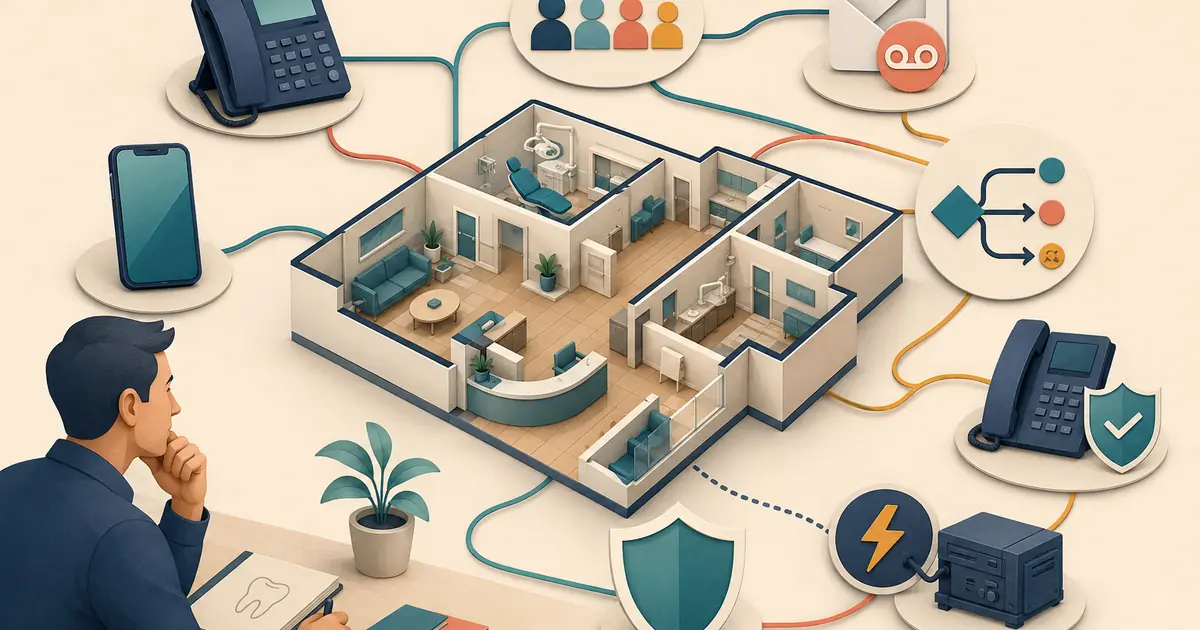
A dental office phone system should be selected from the practice's call workflow, not from a generic feature checklist. Before signing a contract, map who calls, when staff answer, how simultaneous and after-hours calls move, where voicemail appears, what happens during an outage, and who owns each resulting request.
The best phone system for a dental office is the one the team can operate, test, secure, and restore without confusing callers.
Map the call flow before comparing vendors
Draw the ordinary path:
- caller reaches the public office number;
- the correct location and greeting are identified;
- staff phones or a queue ring in the approved order;
- a short hold, callback option, or overflow path begins at a defined threshold;
- voicemail or after-hours coverage begins only at the intended point;
- a request enters one visible staff queue;
- a named employee completes follow-up.
Add paths for:
- second and third simultaneous calls;
- lunch and team meetings;
- evenings, weekends, and holidays;
- new versus existing patients;
- transfers between employees or locations;
- an unavailable front desk;
- internet, power, carrier, or device failure;
- backup coverage and restoration.
If a vendor cannot explain how its features support this map, the demo is not complete.
The call-forwarding rules guide can help define the conditions before you evaluate settings.
Decide which numbers the practice owns
Create an inventory:
- main public number;
- location-specific numbers;
- fax number when used;
- campaign or tracking numbers;
- staff direct numbers or extensions;
- answering or AI destination numbers;
- texting-enabled numbers;
- emergency or outage contact numbers.
Record the provider, account owner, billing owner, authorized administrators, porting information, and recovery method for each number.
Ask whether the practice can port numbers in and out, how long a port may take, what documents are required, and what happens during transition. Do not cancel the old service before the number and route are verified.
The guide to keeping the office number with AI explains how forwarding can preserve the public number without making an AI destination the practice's identity.
Compare core routing capabilities
Ask for exact behavior, not a list of feature names.
- How many calls can arrive simultaneously?
- Can calls ring several devices or users?
- How are queues and hunt groups configured?
- Can the office use busy, no-answer, and scheduled forwarding separately?
- What ring threshold can be set?
- Does voicemail answer before overflow?
- Is the original caller ID preserved?
- Can staff perform a warm transfer?
- What happens when a transfer fails?
- Can different locations use different hours and greetings?
- Can administrators change routes without vendor support?
- Is there an audit trail for configuration changes?
Document the answer with a test case. “Supported” is not enough when the default order differs from the intended workflow.
Plan devices and work locations
List who needs to answer calls and where:
- front-desk desk phones;
- office-manager phone;
- softphone on an approved computer;
- approved mobile application;
- treatment coordinator or billing team;
- remote or backup staff;
- on-call contact under office policy.
Review shared versus individual sign-in, screen lock, remote logout, device loss, headset use, and physical privacy. A convenient personal-device setup may create access and support problems later.
Use individual accounts and minimum permissions. A departing employee should not retain the ability to answer, forward, record, or export calls.
Define voicemail and closed-office behavior
Create separate greetings for ordinary closed hours, weekends, holidays, temporary closures, and outages when needed.
Each message should state:
- the practice and location;
- current closed status;
- exact reopening date or hours;
- how to leave a useful request;
- the approved path for urgent dental concerns;
- the life-threatening-emergency instruction;
- an honest staff-review expectation.
Decide where messages appear, who reviews them, how duplicates are linked, and how a backup takes ownership.
The weekend and holiday answering plan provides a closed-office calendar and reopening checklist.
Include accessibility in system selection
Automated attendants, IVR menus, voicemail, and messaging must not become the only path if callers cannot use them effectively.
The ADA notes that certain dental practices may need automated-attendant and interactive voice response systems to support effective real-time communication through approved auxiliary aids and relay services. Review the ADA telecommunications accessibility guidance with qualified advisors for applicability.
Test:
- Telecommunications Relay Service calls;
- callers who cannot use a keypad menu;
- slow speech and repeated corrections;
- language-assistance handoff;
- direct access to staff or an equivalent alternative;
- menu timeout and zero-key behavior.
An accessible route should be documented and trained, not improvised when a caller reports a problem.
Review recording, privacy, and integrations
Ask whether calls are recorded by default, where recordings and transcripts are stored, who can play or download them, how long they remain, and how deletion works. Recording and consent laws vary, so obtain qualified advice for the states and callers involved.
If the phone system connects to patient, scheduling, messaging, analytics, or AI tools, map the exact data sent and received. Verify vendors, subcontractors, support access, contracts, retention, incidents, and account termination.
HHS explains that outside vendors that create, receive, maintain, or transmit PHI on behalf of a covered entity may be business associates. Review the HHS business-associate guidance for the actual system design.
Do not enable every available integration before the team knows who owns the resulting data and work.
Plan for outages and degraded service
Ask:
- What happens if office internet fails?
- Can calls route to another destination?
- Which features remain available on mobile networks?
- How does the provider report an outage?
- Can the office publish a status message?
- How are voicemail and queued requests recovered?
- Is configuration available when the main dashboard is down?
- Who can activate and reverse the fallback?
- How is normal routing verified after restoration?
Use a fallback that does not depend entirely on the failed component. The phone outage plan provides a practical incident sequence.
Calculate total cost
Include:
- base subscription;
- users, seats, extensions, and devices;
- phone numbers and porting;
- calling and messaging usage;
- taxes and telecom fees;
- hardware purchase or lease;
- headsets and network equipment;
- recording, transcription, analytics, or AI add-ons;
- support tier and installation;
- contract term, renewal, and cancellation;
- training and internal administration time.
Compare the same call volume, locations, users, numbers, and features. A low base price with required add-ons may cost more than a complete quote.
Test before publishing the number
Run calls from several outside numbers:
- ordinary office-hours call;
- second simultaneous call;
- hold and callback path;
- warm transfer and failed transfer;
- no-answer forwarding;
- busy forwarding;
- voicemail;
- after-hours and holiday schedule;
- relay or accessible communication path;
- blocked caller ID;
- internet or destination failure;
- rollback and restoration.
Confirm caller ID, audio quality, greeting, route, message delivery, request ownership, and configuration visibility. Retest after porting and on the actual opening-day schedule.
Phone-system selection checklist
- [ ] The normal and exception call maps are documented.
- [ ] Every phone number has an owner and recovery record.
- [ ] Simultaneous calls, queues, forwarding, voicemail, and transfers are defined.
- [ ] Devices and remote access use individual accounts.
- [ ] Closed-office messages and request ownership are approved.
- [ ] Accessibility and relay paths are tested.
- [ ] Recording, privacy, integrations, vendors, and retention are reviewed.
- [ ] Outage fallback and restoration have named owners.
- [ ] Total cost includes required add-ons and internal work.
- [ ] Outside-number tests pass before launch.
Choose a dental office phone system by following the caller's entire path. Features matter only when they produce accurate routing, accessible communication, visible requests, safe access, and a recovery plan the future practice can operate.