AI receptionist privacy in a dental office should be evaluated as a complete data-flow and operating-control question, not as a yes-or-no claim from a sales page. Identify what callers may disclose, where that information travels, which vendors create or maintain it, who can access it, how long it remains available, and what happens after an error or security incident. Then have qualified privacy, security, and legal advisors review the actual arrangement for your practice.
A vendor saying “HIPAA compliant” is not a substitute for this work. HHS describes risk analysis as a foundational process and says it must cover all electronic protected health information an organization creates, receives, maintains, or transmits. Start with the HHS risk-analysis guidance, then apply it to the proposed call workflow.
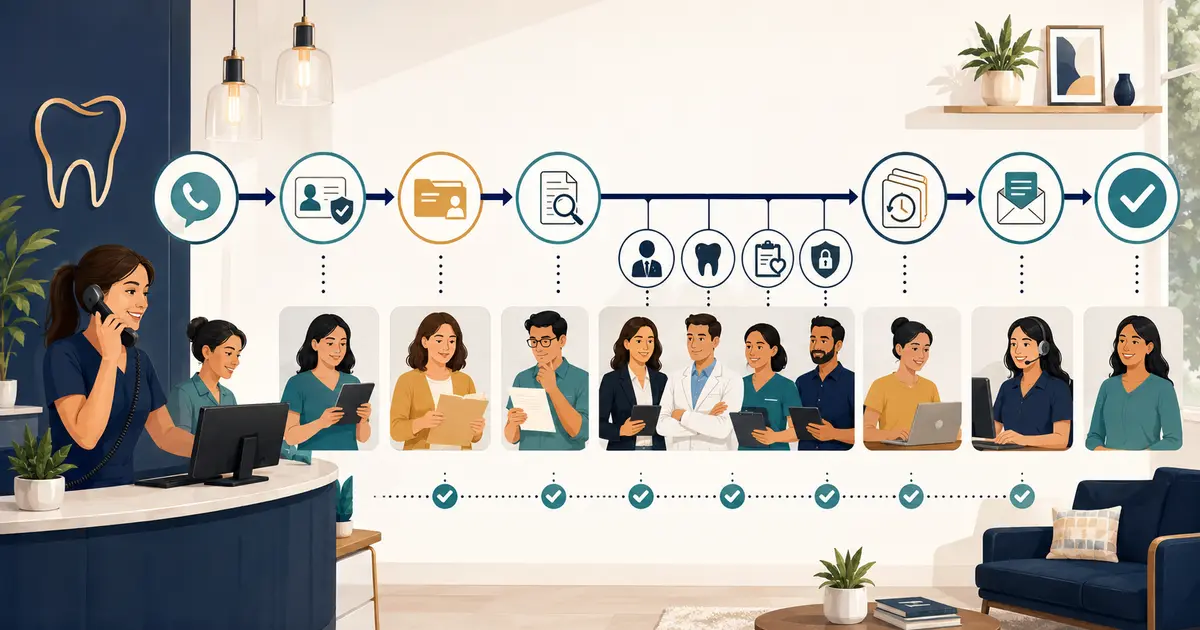
Draw the real call-data flow before reviewing features
Ask the vendor to walk through one ordinary call from beginning to end. Your diagram should show:
- the number the patient calls;
- any no-answer, busy, or after-hours forwarding step;
- the voice or telephony provider receiving the call;
- any speech, AI, hosting, analytics, support, or notification service involved;
- the information collected from the caller;
- where audio, text, transcripts, summaries, metadata, and logs are stored;
- where staff view or export the request;
- any text, email, or other follow-up channel;
- retention, deletion, backup, and account-termination paths.
Do not stop at the vendor name on the contract. Ask which subcontractors or sub-processors participate and what each one receives. A service can expose data to more systems than its dashboard suggests.
Use a test scenario that includes a caller who volunteers more detail than requested. Determine whether the service interrupts appropriately, limits the data it collects, routes the information safely, and gives staff a useful request without turning a narrow phone interaction into an unnecessary clinical history.
The guide to choosing an AI receptionist for dentists covers operational evaluation. The privacy review should sit beside that checklist, not inside a generic feature comparison.
Determine whether a business associate agreement is required
Do not decide this from a badge, certificate, or vendor FAQ. Give counsel the actual service description and data flow.
HHS explains that a cloud service provider that creates, receives, maintains, or transmits electronic protected health information on behalf of a covered entity generally requires a HIPAA-compliant business associate agreement. HHS also notes that a provider maintaining encrypted ePHI can still be a business associate even when it does not hold the decryption key. Review the HHS cloud-computing guidance and the agency's cloud-service BAA explanation.
Ask:
- Which contracting entity will sign the agreement?
- Does the agreement cover the exact product, account, and service configuration you will use?
- Which permitted uses and disclosures are listed?
- How are subcontractors bound?
- What security-incident and breach-notification duties apply?
- What happens to information at termination?
- Which responsibilities remain with the dental practice?
A business associate agreement allocates duties; it does not certify that every setting, staff action, integration, or workflow is appropriate. Your practice still needs its own risk analysis, policies, access decisions, training, and monitoring.
Ask what the AI is allowed to collect and say
Set a narrow purpose for the call. For missed-call coverage, that might be collecting the caller's general request and callback information, answering approved office facts, and creating a request for the front desk.
Document the boundaries:
- no diagnosis or treatment advice;
- no clinical triage;
- no promise that an appointment is available;
- no claim that an appointment is booked, canceled, or moved unless an authorized system truly completed it;
- no confirmation of individual insurance benefits;
- no payment collection unless a separately approved workflow exists;
- no pretending to be human;
- no request for detailed clinical information merely to make the summary sound complete.
HHS says covered entities should make reasonable efforts to limit protected health information to the minimum necessary for the intended purpose. The agency also emphasizes that the practice must assess what is reasonably necessary for its circumstances. Review the HHS minimum-necessary guidance when defining scripts, fields, and staff permissions.
Ask whether the AI can be configured to redirect clinical or urgent statements to the practice's approved process without deciding their medical significance. A safe boundary is operational: record the concern, provide the practice-approved instruction, and assign the handoff. It is not “decide how urgent this is.”
Review identity, access, and staff controls
The vendor's security architecture matters, but most daily exposure begins with ordinary account access. Request a live demonstration of the exact administrator and staff controls.
Verify:
- individual user accounts rather than shared credentials;
- supported multi-factor authentication;
- role-based access for owners, managers, and front desk staff;
- a process for adding, changing, and removing users;
- session, password, and account-recovery controls;
- audit or activity history appropriate to the service;
- controls for downloading, copying, printing, or exporting call information;
- support-personnel access and approval procedures;
- location-level separation if the practice has multiple offices.
Then define your side of the workflow. A secure dashboard does not help if employees copy requests into personal text threads or leave a shared account signed in on an unattended workstation.
Create an access matrix:
| Role | Information needed | Allowed action | Review trigger |
|---|---|---|---|
| Front desk | Caller request and callback details | Review, assign, document follow-up | Clinical or policy concern |
| Office manager | Queue status and staff activity | Reassign, review, close under policy | Repeated failures or complaints |
| Owner/admin | Account, locations, users, and settings | Configure access and vendors | Material workflow or vendor change |
| Vendor support | Minimum data required for a defined support case | Time-limited troubleshooting | Any access to production call data |
Review access when a role changes, an employee leaves, a location closes, or an outside support relationship ends.
Separate encryption claims from operational answers
“Encrypted” is useful but incomplete. Ask precise questions:
- Is information encrypted in transit and at rest?
- Which parts of the workflow are excluded from that statement?
- Who controls or can use encryption keys?
- How are backups protected?
- How are exported files protected after leaving the service?
- Are notification emails or text messages carrying sensitive details?
- What happens when staff use mobile devices?
Also ask how the service protects administrative tools, service accounts, APIs, and support systems. HHS notes that a cloud provider's internal controls over administrative tools can affect the confidentiality, integrity, and availability of customer ePHI. The practical question is not only “Is the database encrypted?” but “Who and what can reach the data through every supported path?”
Define retention, deletion, and export before signing
Different records may need different treatment. Inventory audio, transcripts, summaries, call metadata, application logs, support copies, exports, backups, and downstream messages separately.
Ask:
- Which records are created by default?
- Can unnecessary recording or transcription be disabled?
- What is the default retention period for each record type?
- Can the practice set a shorter period?
- What happens to deleted data in active systems and backups?
- Can the practice export information in a usable format?
- What happens when the account is canceled?
- Does the vendor retain de-identified or aggregated information, and how is that defined?
- Is customer data used to train or improve models? Can that use be disabled contractually and technically?
HHS states that a business associate agreement generally must require return or destruction of protected health information at termination where feasible, with continuing protections when return or destruction is infeasible. Review the HHS retention-at-termination explanation.
Do not confuse vendor deletion with the practice's record-retention duties. The practice should decide what belongs in its official record and move or document that information through its approved process before transient call data expires.
Verify incident response and notification duties
Request the vendor's incident-response overview and compare it with the contract. The answers should identify:
- how suspected incidents are detected and escalated;
- how customer accounts are contained;
- who contacts the practice and through which verified channel;
- what preliminary information is provided;
- how updates and final findings are communicated;
- how evidence and affected records are preserved;
- how credentials, integrations, or routing can be disabled;
- which responsibilities belong to the vendor and which remain with the practice.
HHS says business associates must identify and respond to known or suspected security incidents, mitigate harmful effects when practicable, document incidents and outcomes, and report incidents as required by the business associate agreement. “We will notify you if required” is less useful than a documented process, named contact path, and contract reviewed by counsel.
Your office also needs a decision tree. Staff should know whom to contact if they see the wrong location's call, an unexpected transcript, a former employee account, a suspicious login, or a caller request delivered to the wrong person. Preserve facts; do not investigate by forwarding the information to more people.
Test privacy in normal and failure scenarios
Before production use, run scripted calls with fictional information. Do not use a real patient's details for a vendor demonstration.
Test at least:
- ordinary appointment-request capture;
- a caller who volunteers excessive clinical detail;
- a wrong number;
- a caller who asks whether the AI is a person;
- a request for insurance or treatment advice;
- an urgent-sounding statement that must follow the office's approved process;
- a call routed to the wrong location;
- an unavailable dashboard or failed notification;
- removal of a test employee's access;
- export and deletion of test records.
Confirm what the caller hears, what staff receive, what metadata is stored, and what remains after deletion. The new-practice communication stack guide can help place this test inside the broader phone, message, queue, and outage plan.
Use a scored due-diligence record
Keep the decision traceable. For each requirement, record the vendor answer, supporting evidence, contract location, practice owner, unresolved question, and approval status.
| Review area | Evidence to retain | Decision owner |
|---|---|---|
| Data flow | Current architecture and sub-processor list | Security/privacy lead |
| Contract | Executed agreement and applicable service terms | Owner and counsel |
| Collection boundaries | Approved scripts, fields, and escalation rules | Practice leadership |
| Access | Role matrix and account test results | Office administrator |
| Retention | Written schedule and deletion/export test | Records/privacy lead |
| Incident response | Notification terms and verified contact path | Security/privacy lead |
| Operations | Failure test, fallback owner, and staff training | Office manager |
Do not award a passing score because a vendor has one certification or makes a broad compliance statement. Certifications, assessments, and audit reports can be useful evidence, but HHS notes that covered entities may request additional assurances based on their own risk analysis; the HIPAA Rules do not turn a third-party report into a universal approval.
Final dental AI security questions
Before approving the service, obtain clear answers to these questions:
- [ ] What exact patient information can enter the system?
- [ ] Which companies and systems create, receive, maintain, or transmit it?
- [ ] Does counsel confirm the required contracts and terms for this use?
- [ ] Can the AI's collection and response boundaries be configured and tested?
- [ ] Are individual accounts, MFA, roles, offboarding, and activity records available?
- [ ] Are notification and export paths protected?
- [ ] Are retention, deletion, backup, and termination behaviors documented?
- [ ] Is model-training or secondary data use clearly addressed?
- [ ] Are incident reporting, containment, and customer-contact duties explicit?
- [ ] Does the practice have a fallback when the service or notification path fails?
- [ ] Have fictional-data tests passed for ordinary and edge cases?
- [ ] Are legal, privacy, security, records, and operational owners documented?
The strongest answer to AI receptionist privacy in a dental office is not a slogan. It is a narrow, documented workflow in which the practice understands every data handoff, collects only what the task requires, controls access, tests failures, and knows exactly who acts when something goes wrong.