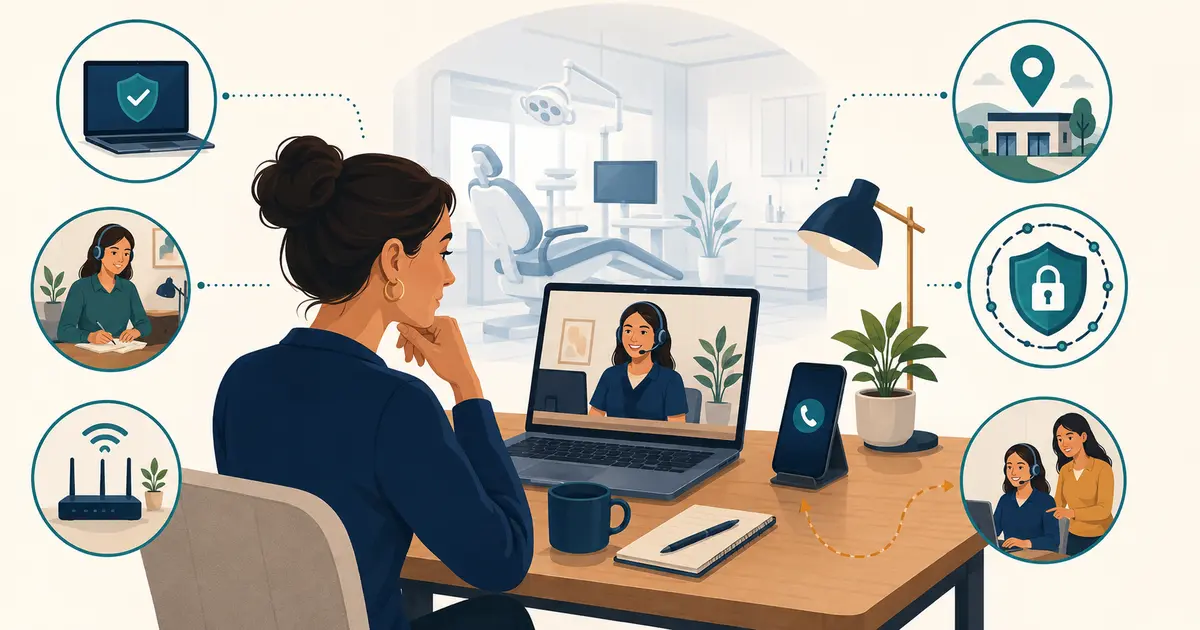
To switch dental office phone providers safely, keep the existing service active while the new provider prepares the account, confirm ownership of every number, submit accurate porting information, test the new call flow, and cancel the old service only after the port and post-cutover checks succeed. The main risk is not choosing the wrong handset. It is losing control of a published number or discovering an untested dependency during the cutover.
The FCC says consumers generally can keep an existing telephone number when changing providers within the same geographic area. A dental practice may have a more complex setup than a single residential line, however. Main numbers, toll-free numbers, fax, call-tracking numbers, alarms, elevators, payment terminals, and multiple locations may involve different providers or account records.
Phase 1: build a complete number and service inventory
Start with what callers and systems actually use, not only what appears on the latest proposal.
For every number, record:
- the number in full;
- public purpose and where it is displayed;
- current destination and route;
- provider and account;
- legal customer name and service address;
- authorized contact;
- whether the number is local, toll-free, fax, tracking, or another type;
- whether it should port, remain, forward temporarily, or retire;
- any dependent equipment or service;
- last successful test.
Compare this inventory with invoices, websites, Google Business Profiles, directories, referral materials, advertising, signage, forms, and old vendor records. Use the dental phone number porting guide to turn those details into one trusted transfer packet.
Do not assume every number belongs to the phone-system provider. A marketing agency may control a tracking number, a separate carrier may host toll-free service, or an old fax account may still be active.
Phase 2: review the old contract before ordering
Find the current agreement, amendments, equipment schedule, financing documents, invoices, and renewal notices. Identify:
- contract end and automatic-renewal terms;
- notice deadline and required delivery method;
- early termination or remaining equipment obligations;
- leased or provider-owned devices;
- data export and retention terms;
- porting or transition assistance;
- support contacts and escalation path;
- any services that stop automatically when a number ports.
This is operational preparation, not contract interpretation. Obtain qualified advice when rights, fees, or notice language are unclear. Do not send a cancellation notice merely to “start the process” until the transition plan accounts for every affected service.
Phase 3: choose the new provider by requirements
Give each candidate the same requirements list. Include:
- locations, users, departments, and expected concurrent calls;
- business-hours, overflow, after-hours, holiday, and outage routes;
- transfer, hold, voicemail, and shared-line behavior;
- desk phones, headsets, mobile or desktop calling;
- caller ID and emergency-location configuration;
- reporting and call-detail needs;
- administrator roles, authentication, logs, and recovery;
- recording, transcription, retention, and data-export requirements;
- implementation, training, support, and escalation;
- number-porting ownership and timeline;
- exit and data-deletion expectations.
Ask candidates to demonstrate the workflows that matter, not a generic feature tour. Include the requirements in written project documents and understand what is part of the contract.
The dental phone provider switch packet
Prepare one controlled packet for the project lead:
| Item | Ready? | Notes |
|---|---|---|
| Current bill or customer service record | ||
| Legal business name and service address | ||
| Account number and authorized contact | ||
| Porting PIN or credentials, if applicable | ||
| Exact list of numbers to port | ||
| Exact list of numbers not to port | ||
| Letter of authorization requested by new provider | ||
| Toll-free ownership information | ||
| Fax and special-service inventory | ||
| Old and new provider escalation contacts | ||
| Data and greeting exports | ||
| Cutover test plan and rollback decision |
Store the packet securely. Do not place account credentials or sensitive call records in an open project spreadsheet.
Phase 4: export what the practice may need
Before the old account changes, export available:
- current users, extensions, and administrator roles;
- auto-attendant menus and route diagrams;
- business hours and holiday schedules;
- voicemail greetings and mailbox ownership;
- call queue and forwarding settings;
- approved contact lists;
- call-detail or reporting data needed for operations;
- contracts, invoices, device records, and support history.
Run a sample export and open it. A download button is not proof that the files are complete or usable. The dental call data export checklist can help the practice test timestamps, identifiers, formats, and access before the old portal disappears.
Phase 5: configure before the port
Build the new environment with temporary numbers where possible. Confirm:
- each user can sign in and recover access;
- devices and headsets work on the office network;
- outbound caller ID behaves as expected;
- menus, queues, transfers, voicemail, and notifications work;
- after-hours and holiday rules use the right timezone;
- remote and multi-location staff reach the correct route;
- authorized staff understand basic administration;
- there is a documented fallback if the cutover is delayed.
Train staff on the smallest set of launch-day actions: answer, hold, transfer, retrieve voicemail, place an outbound call, report a problem, and use the temporary fallback.
Phase 6: plan the cutover
Choose a cutover window with the providers, but prepare for timing to change. Avoid making unrelated network, staffing, website, or scheduling changes at the same time.
Assign:
- one practice cutover lead;
- one backup;
- old-provider contact;
- new-provider contact;
- network or IT contact;
- staff communication owner;
- decision-maker for fallback or rollback.
Prepare a status message for staff that explains what will change, what will not, where to report problems, and which alternative number or route to use if needed. Do not publish a temporary number unless it is staffed, tested, and approved.
Use this cutover test
Test from external phones and more than one carrier when practical.
- Call every ported number.
- Call each number during the intended business-hours state.
- Verify greeting, menu, queue, ring group, and final destination.
- Test hold, warm transfer, blind transfer, and failed-transfer recovery.
- Leave and retrieve voicemail.
- Place outbound calls and confirm caller ID.
- Test overflow and no-answer behavior.
- Test after-hours and holiday behavior.
- Test each location and remote-user path.
- Verify reporting and notifications.
- Confirm fax or special services separately.
- Repeat failed cases after correction and record the result.
Use a formal dental phone system acceptance test for sign-off. A successful call to the main number is not enough if secondary numbers or fallback routes remain broken.
Phase 7: monitor and close
For several business cycles after cutover:
- review staff reports and missed calls;
- sample important routes at opening, midday, closing, and after hours;
- confirm public listings show the correct number;
- reconcile voicemail and requests captured during transition;
- close temporary forwarding only after verification;
- confirm exported data remains accessible;
- check the first new-provider invoice;
- check later old-provider invoices for continuing charges;
- return leased equipment with trackable evidence;
- remove old administrator access after records and disputes are settled.
Do not measure success only by “the port completed.” The practice should be able to receive calls, place calls, route work, recover messages, manage the account, and explain what to do during a failure.
Common provider-switch mistakes
- Canceling the old account before the number port completes.
- Submitting a business name or service address that does not match provider records.
- Porting a number without understanding the services attached to it.
- Forgetting toll-free, fax, alarm, or campaign numbers.
- Reusing old routing without checking whether the practice still needs it.
- Testing only from an internal phone.
- Training staff after launch instead of before it.
- Treating a vendor promise as a verified configuration.
- Failing to check whether old billing actually stopped.
A safe switch is deliberately boring: accurate records, one controlled change sequence, clear owners, repeated tests, and no cancellation until the replacement is proven.